How to Use the AI Feature (on Mobile)
Timart AI is now live on Mobile App, your new business partner that listens, chats, and acts instantly. With AI, managing your business is no longer about long steps or complicated menus; it’s about telling the app what you want, and letting it do the work.
Steps to Use Timart AI
Step 1: Go to the Homepage.
Step 2: Tap on the AI icon "Ask AI" on the navigation bar.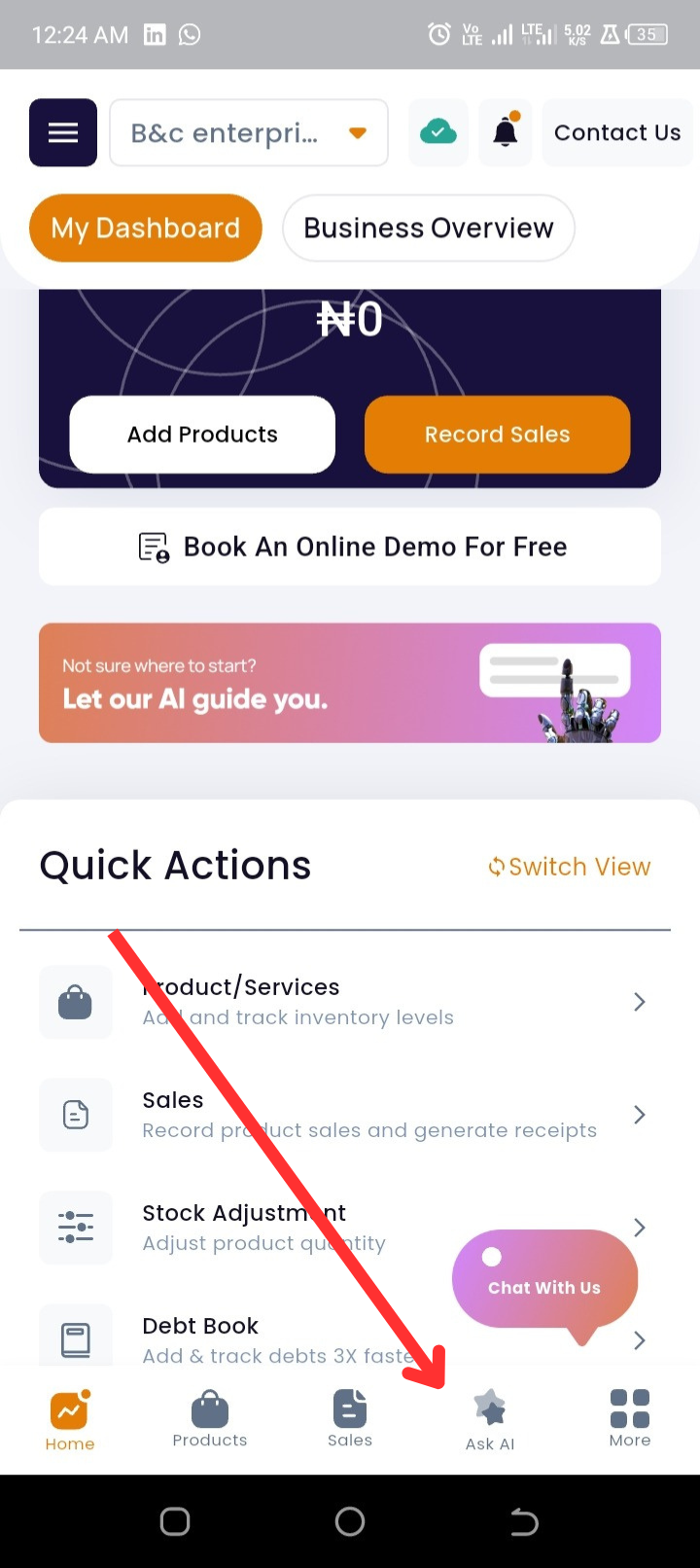
Step 3: Start chatting with the AI; you can type or speak directly to it to create, update, or analyze anything.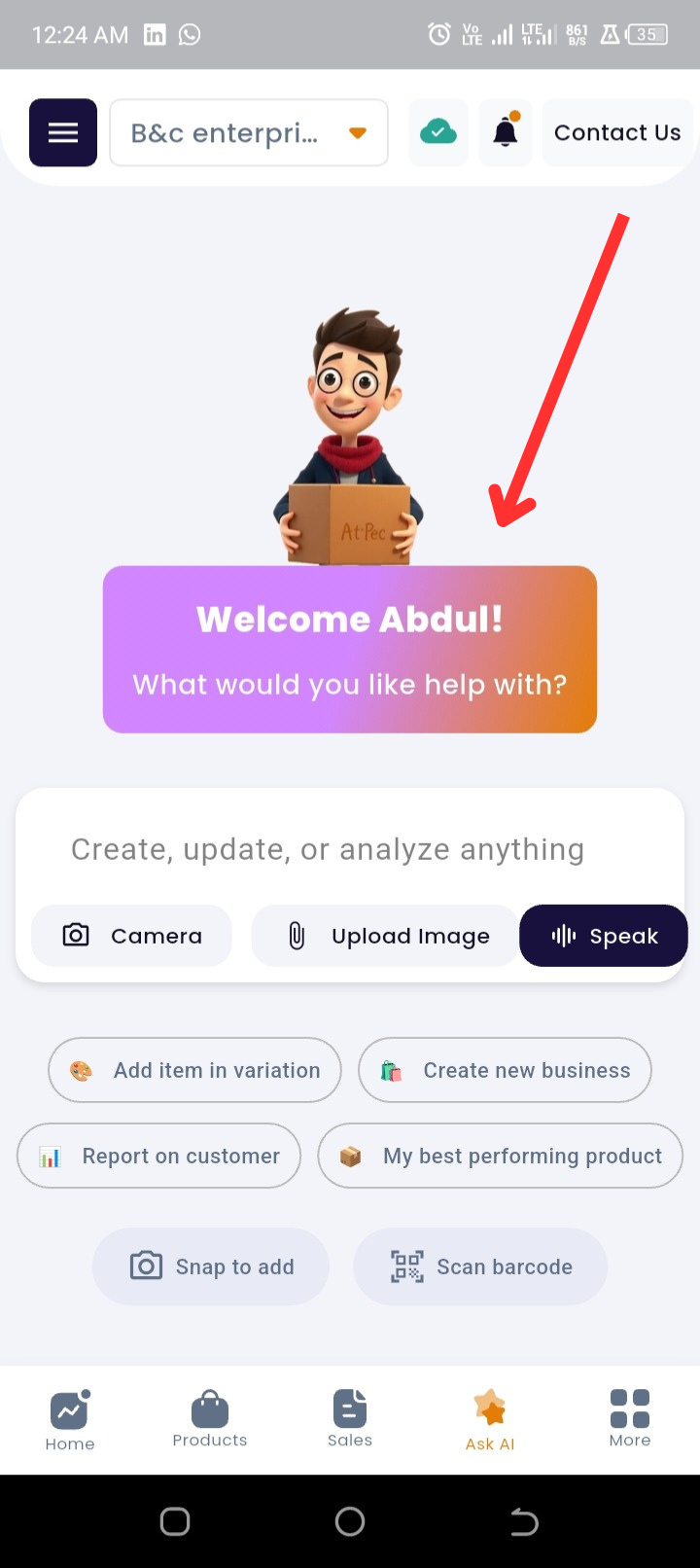
Step 4: Use your camera or upload from your gallery to add products, or record income and expenses.
Step 5: Add product variations, create a new business, generate reports on customers, or discover your best-performing products.
Step 6: You can learn new and effective ways to use Timart features, just ask your AI assistant.
Why This Matters
The AI feature is your personal business assistant. Instead of navigating menus, you can simply speak or type what you want, and the AI will handle it for you.
From snapping a photo to add products, to asking for a report on your top customers, to learning better ways to use Timart, the AI makes running your business faster, simpler, and more efficient.
With voice-enabled interaction, it feels like talking to a smart partner who understands your needs and works round the clock to support your business growth.