How to Manage Your Tax (On Mobile)
The Tax feature in Timart Business App helps you automatically apply taxes to your sales.
Steps to Manage Your Tax
Step 1: Open the App
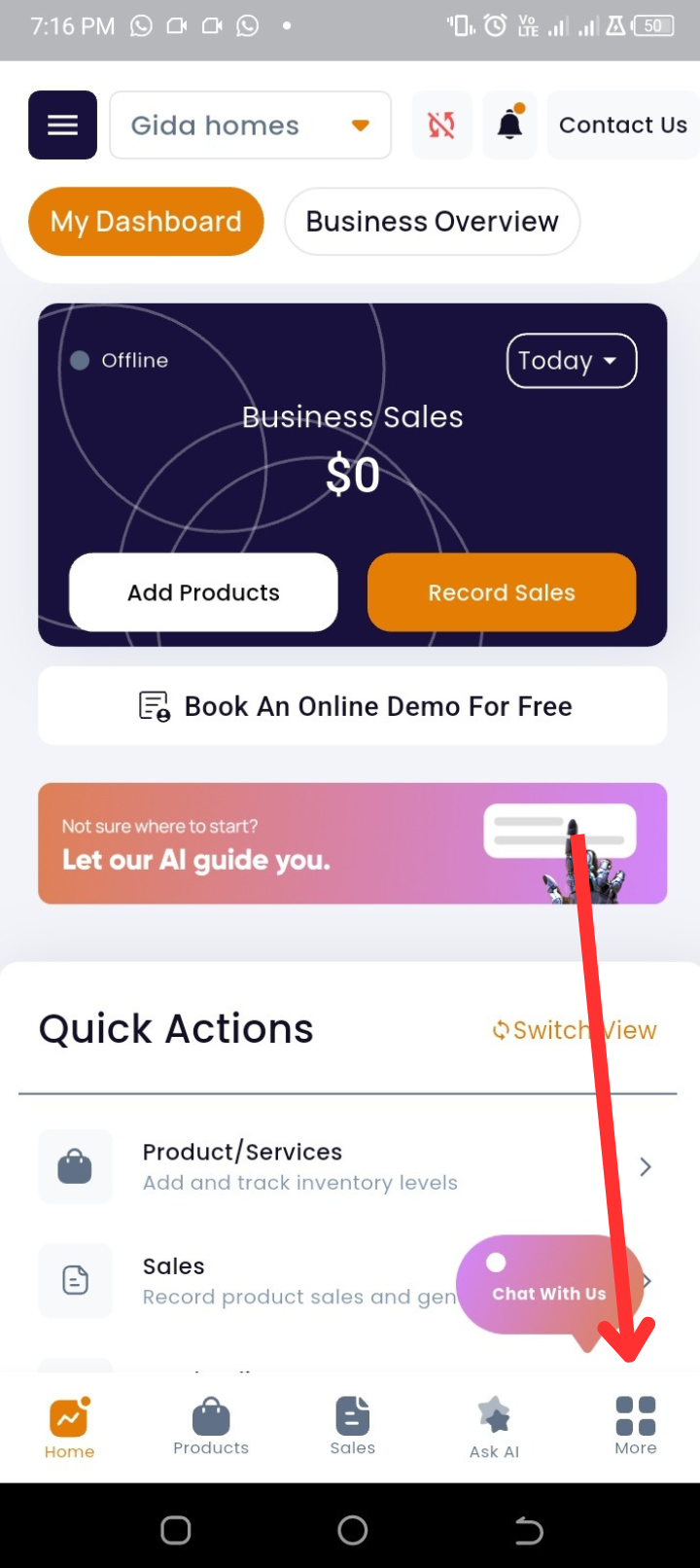
From your homepage, look at the bottom navigation bar.
Step 2: Go to More Options
Tap More (last icon on the navigation bar).
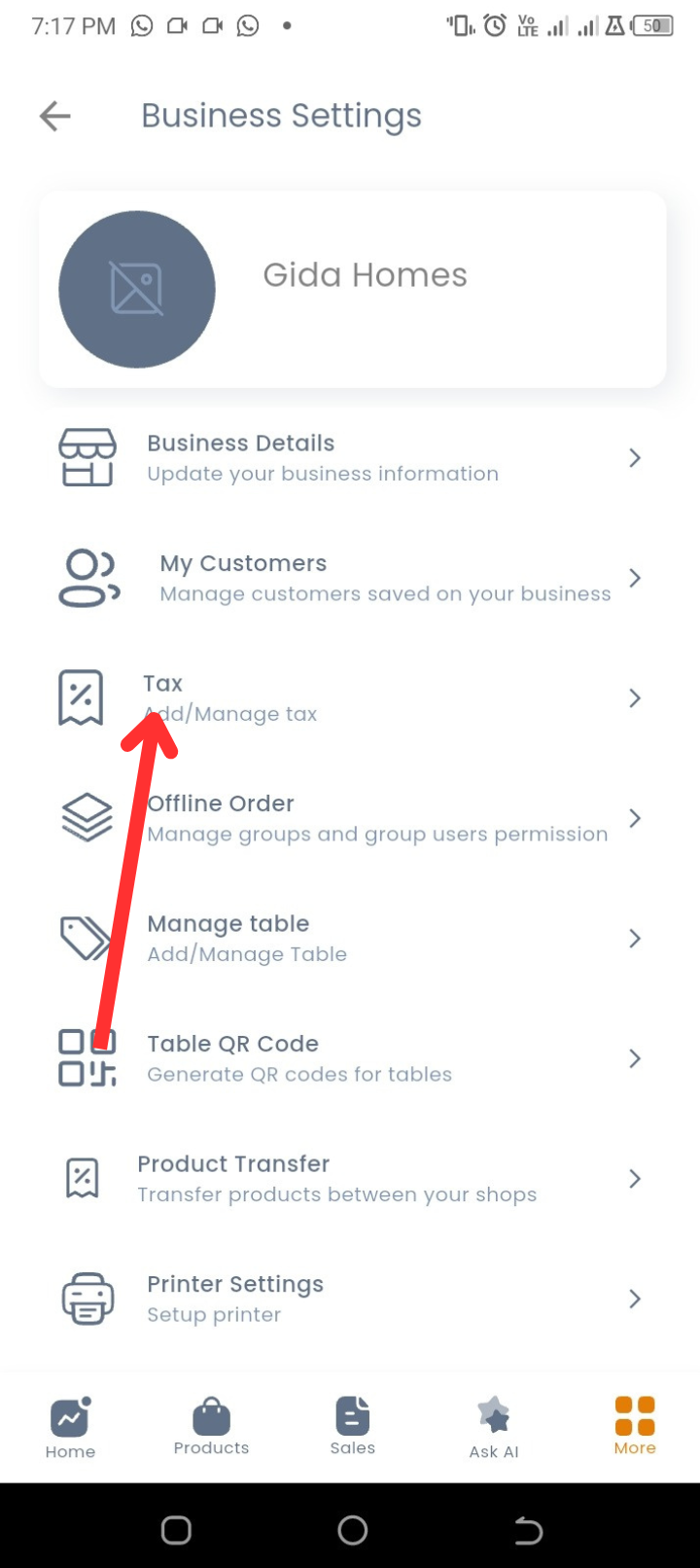
Step 3: Open Business Settings
Select My Business Settings.
Step 4: Select Tax
Tap on Tax to view any existing taxes you’ve already added.
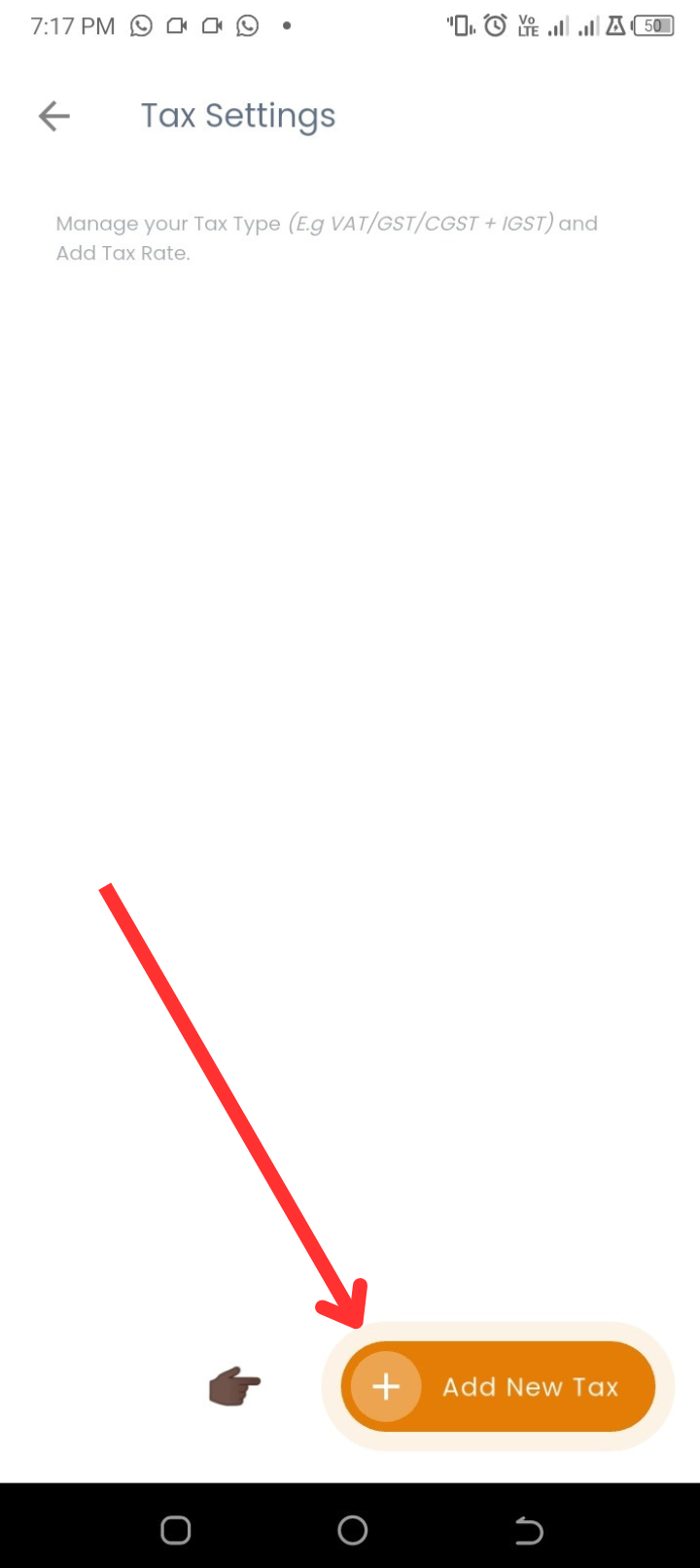
Step 5: Add a New Tax
-
Tap + Add New Tax.
-
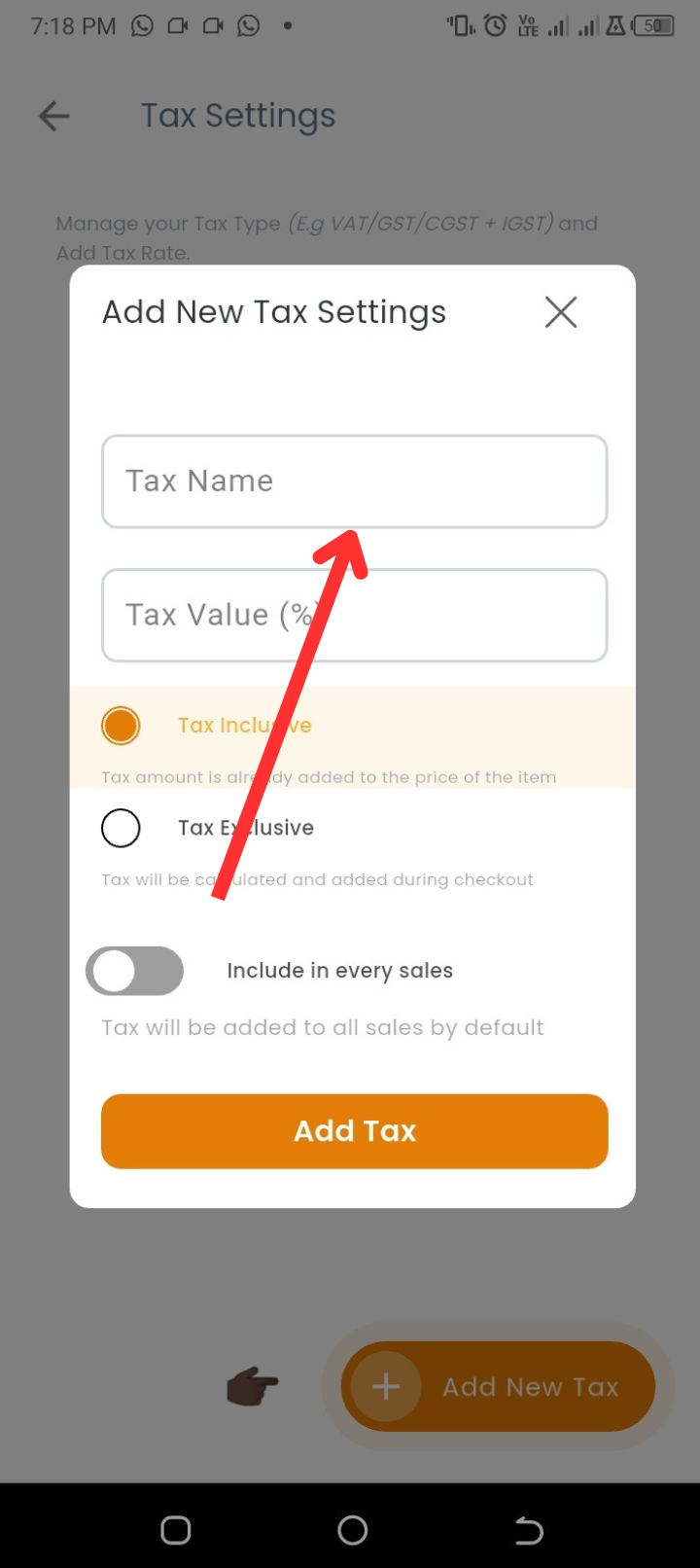
Enter the Tax Name (e.g., VAT, Service Tax).
-
Enter the Tax Value (e.g., 7.5%).
-
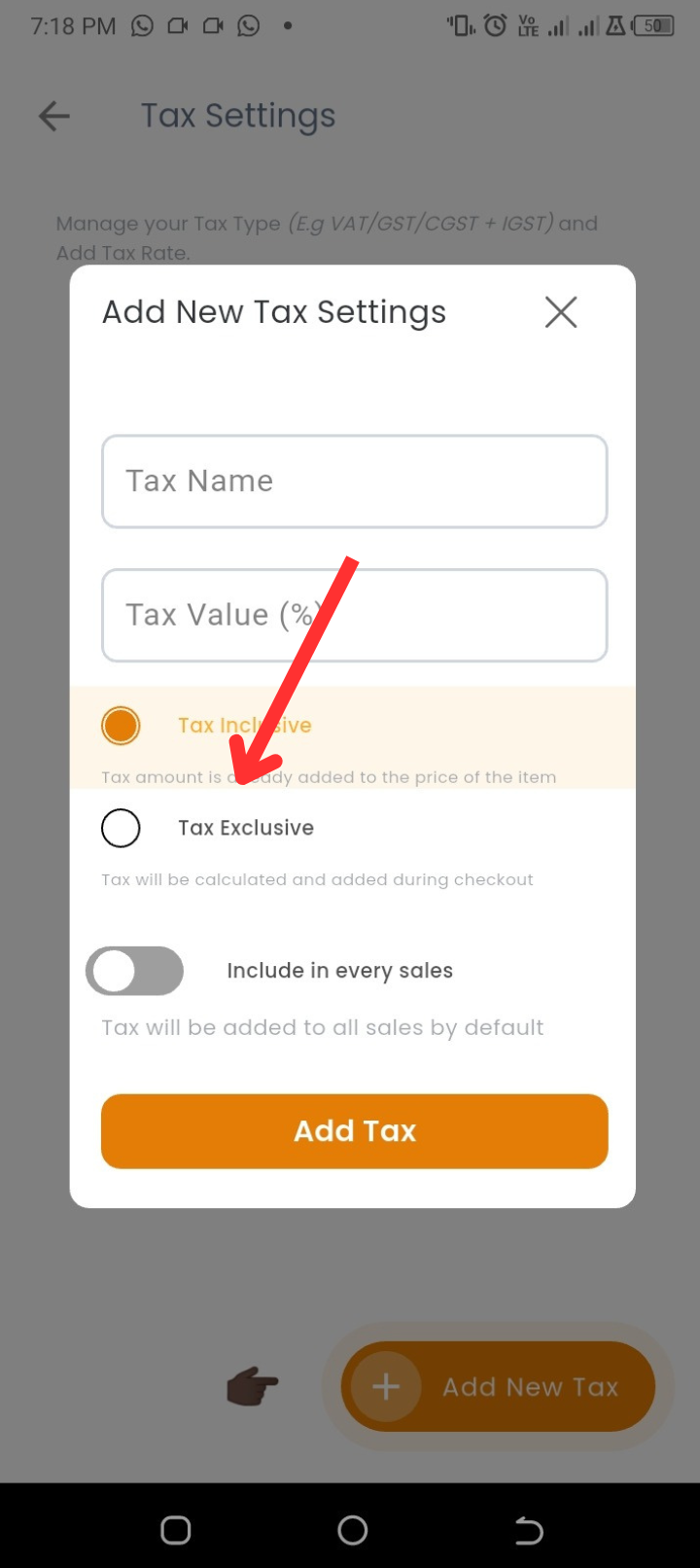
Choose if the tax is:
-
Inclusive → The tax amount is already included in the product price.
-
Exclusive → The tax is calculated and added during checkout.
-
-
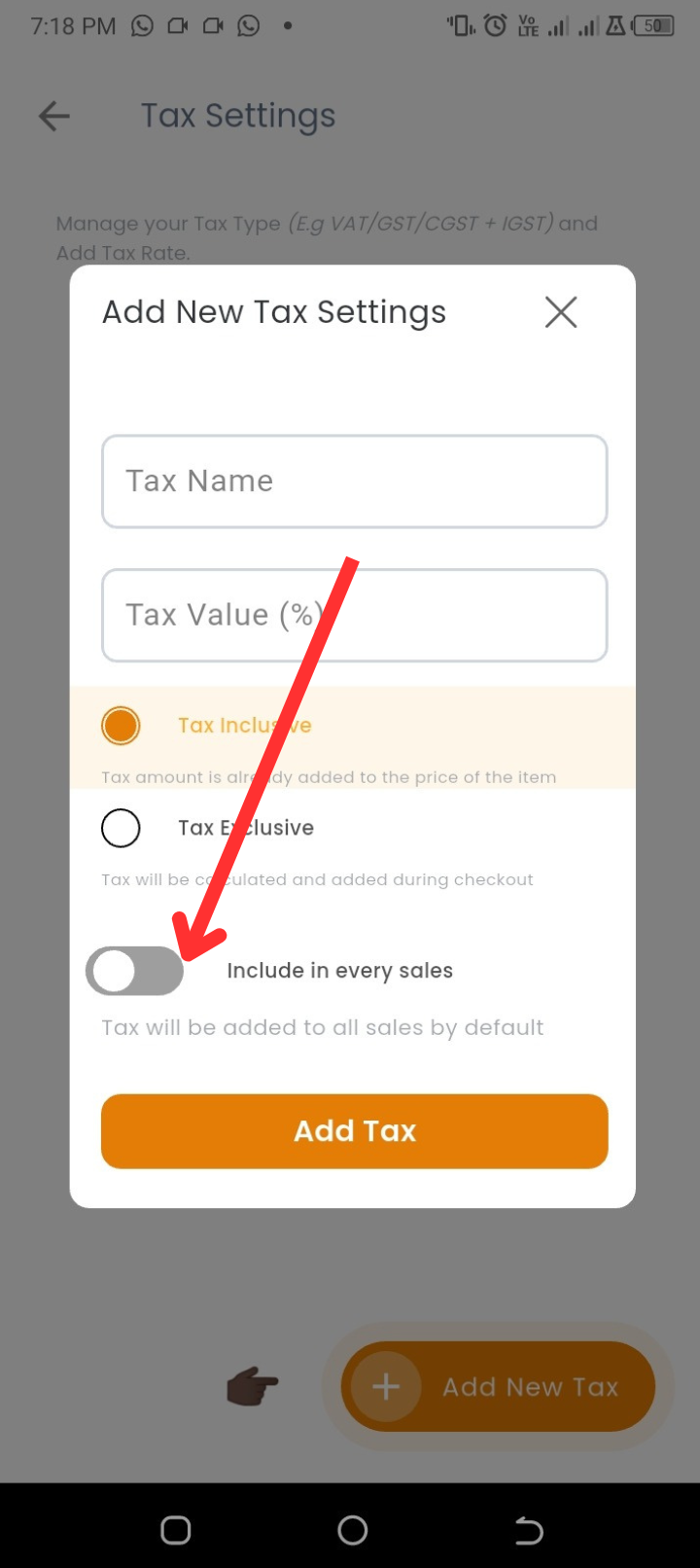
Select whether the tax should apply to every sale.
Step 6: Save the Tax
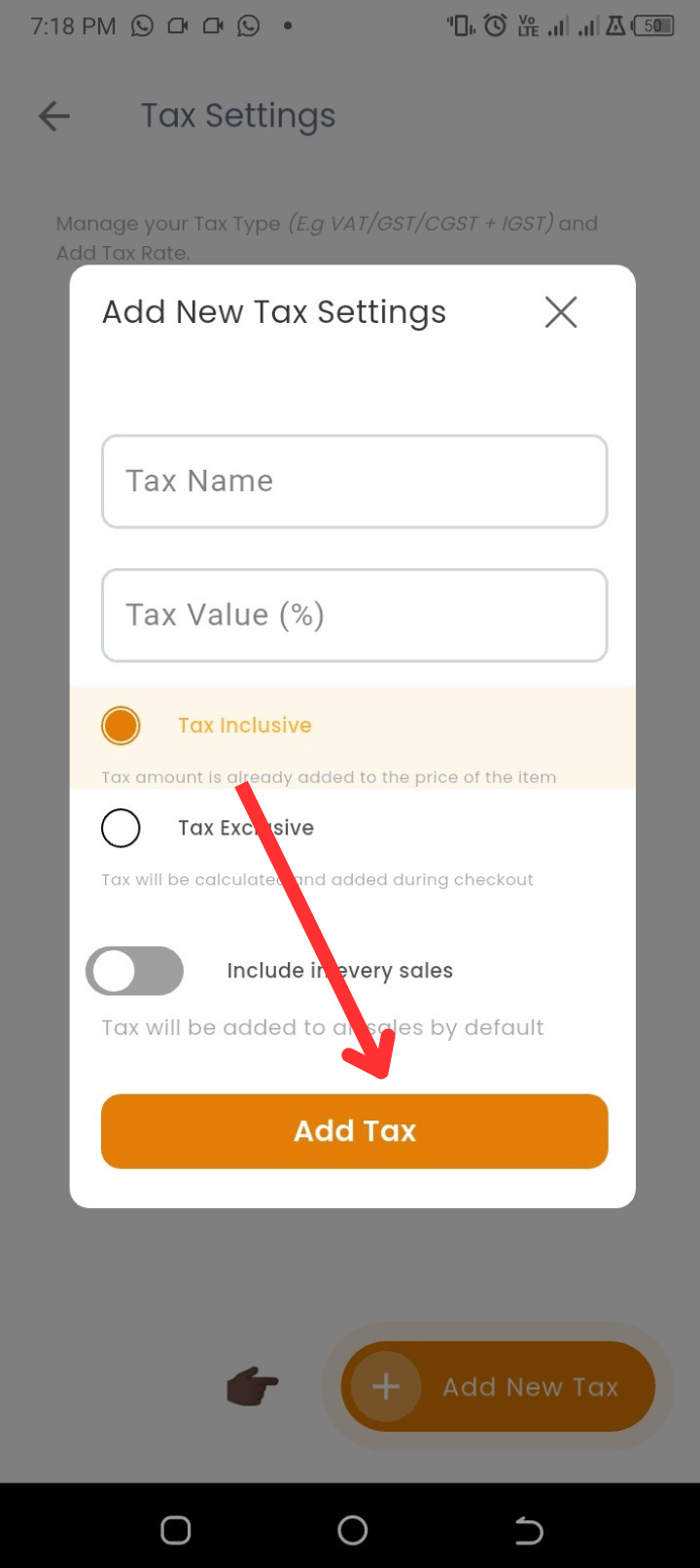
Tap Add Tax to finish.
💡 Tips
-
Use inclusive tax if your prices already include VAT.
-
Use exclusive tax if you want customers to see tax added at checkout.
-
Always double-check your tax percentage to avoid wrong calculations.
❓ FAQs
Q: Can I add more than one type of tax?
A: Yes, you can create multiple tax types if your business requires it.
Q: Can I edit a tax after creating it?
A: Yes, just tap on the tax to edit its name, value, or settings.
Q: What happens if I don’t enable tax?
A: No tax will be added to your sales until you set one up.
🔧 Troubleshooting
-
Tax not applying to all sales
→ Ensure you selected Apply to every sale when setting up. -
Entered wrong tax value
→ Simply edit the tax in the settings and update it. -
Duplicate taxes showing
→ Delete or merge them to avoid confusion.