How to Activate Low Product Alert (Mobile)
Timart’s Low Product Alert helps you manage your inventory more efficiently by notifying you when a product is about to run out.
Follow the steps below to activate and configure this feature directly from your mobile device.
📲 Step-by-Step Guide
1. Launch the App
Open the Timart Business App and go to your Dashboard.
2. Add a New Product
Tap Add Products at the top of the page
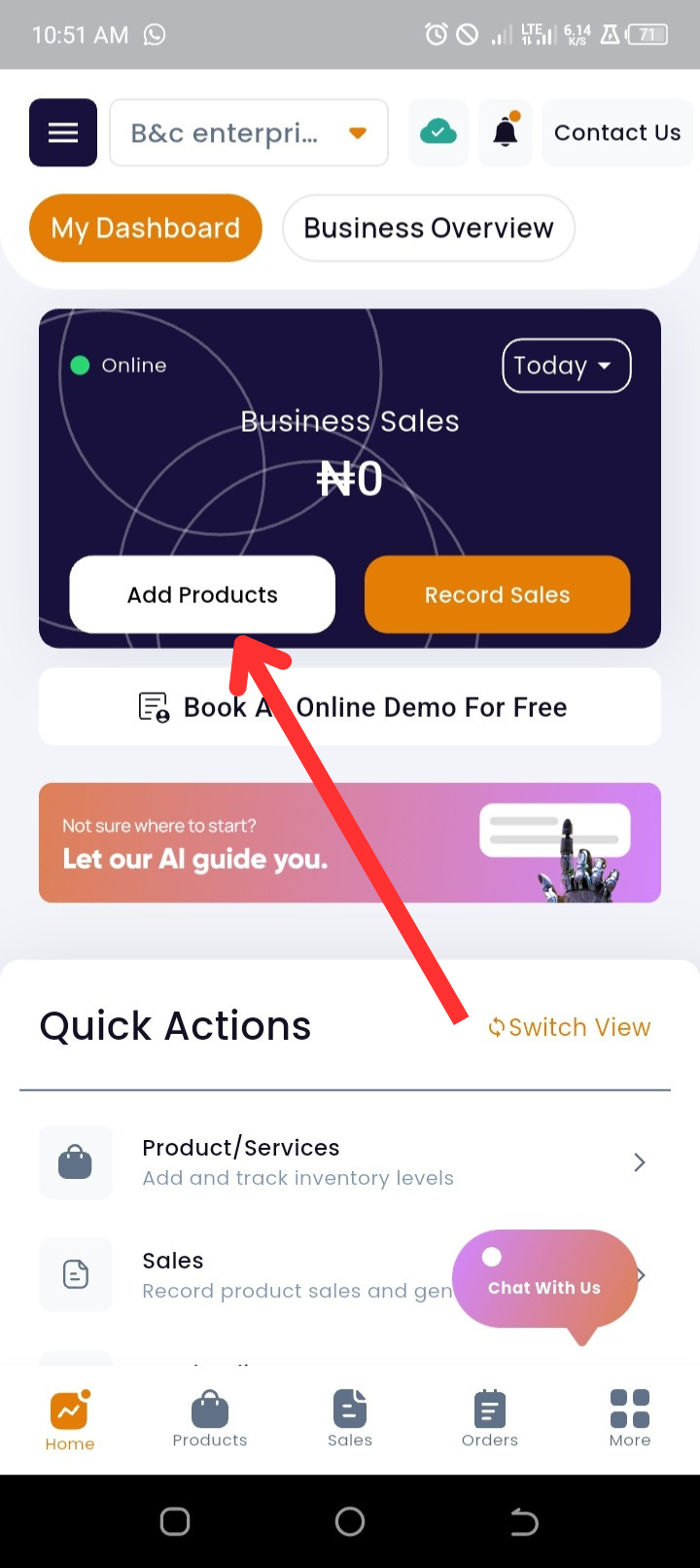
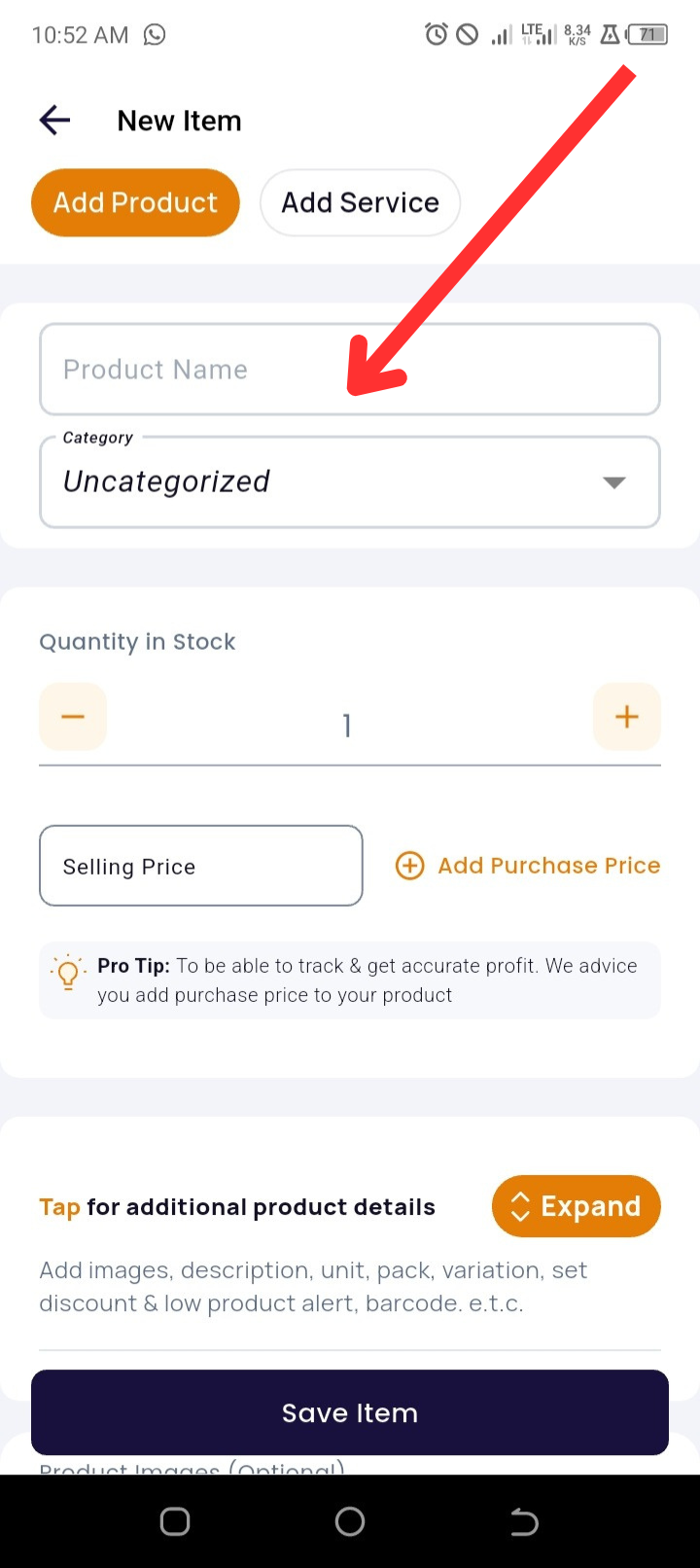
3. Input Product Details
-
Enter the Product Name
-
Select an existing Category or create a new one (optional)
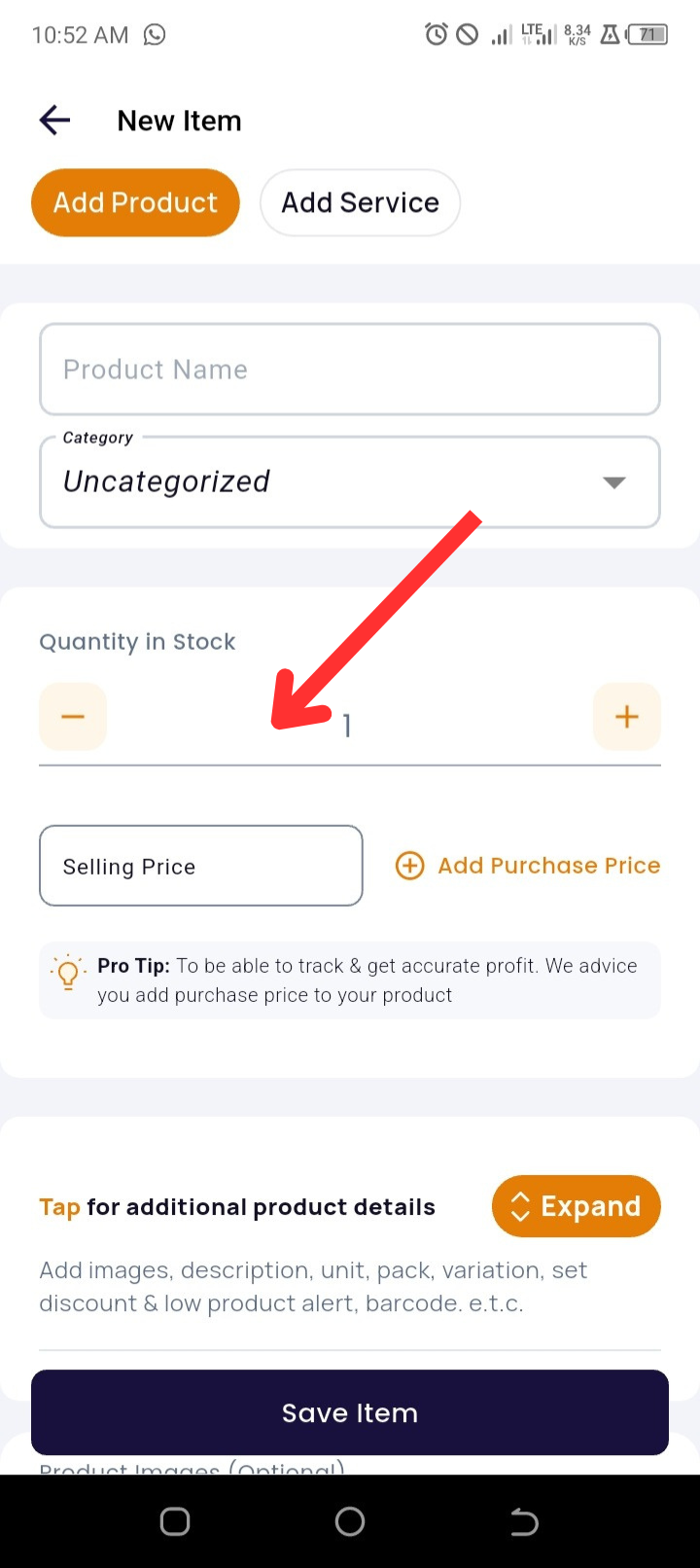
4. Enter Inventory and Pricing Information
-
Input the Product Quantity
-
Enter the Selling Price
-
Tap + Add Purchase Price (optional but recommended for profit tracking)
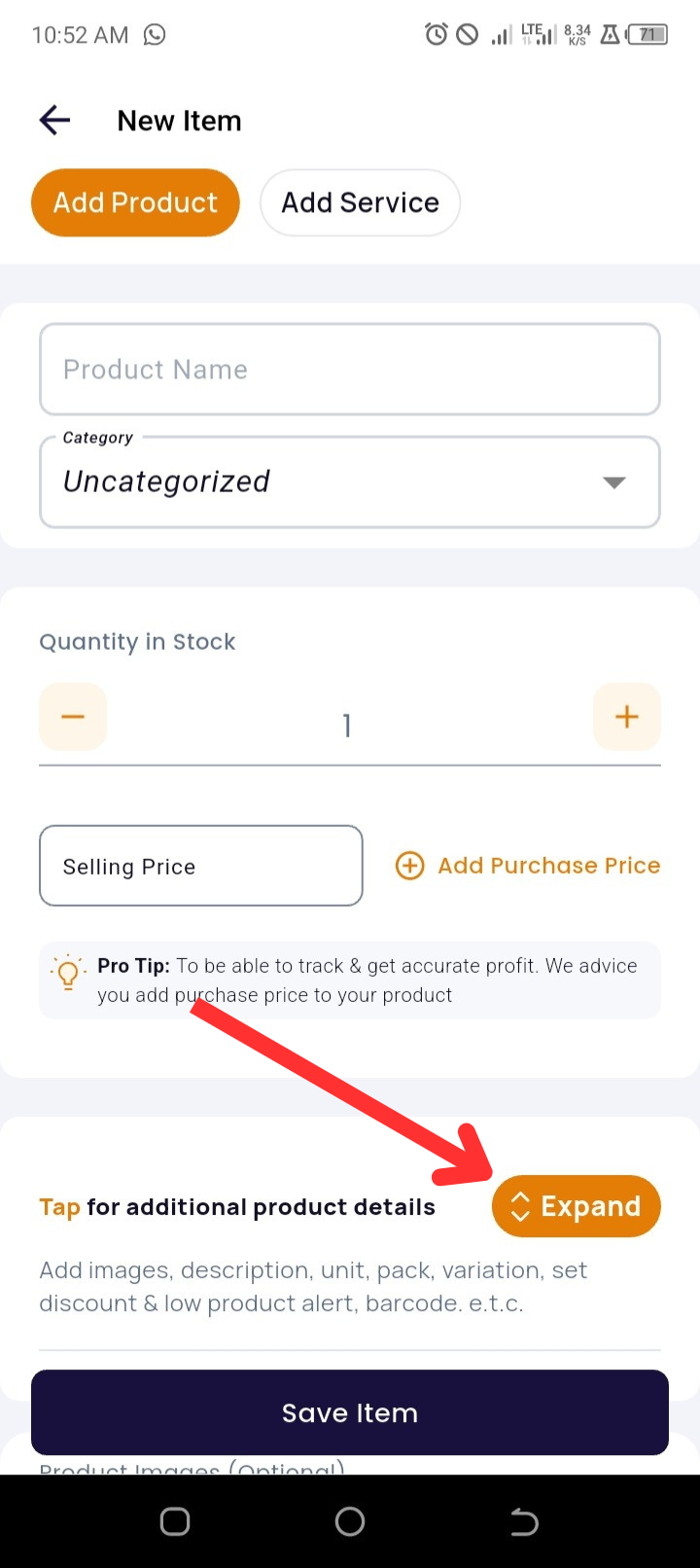
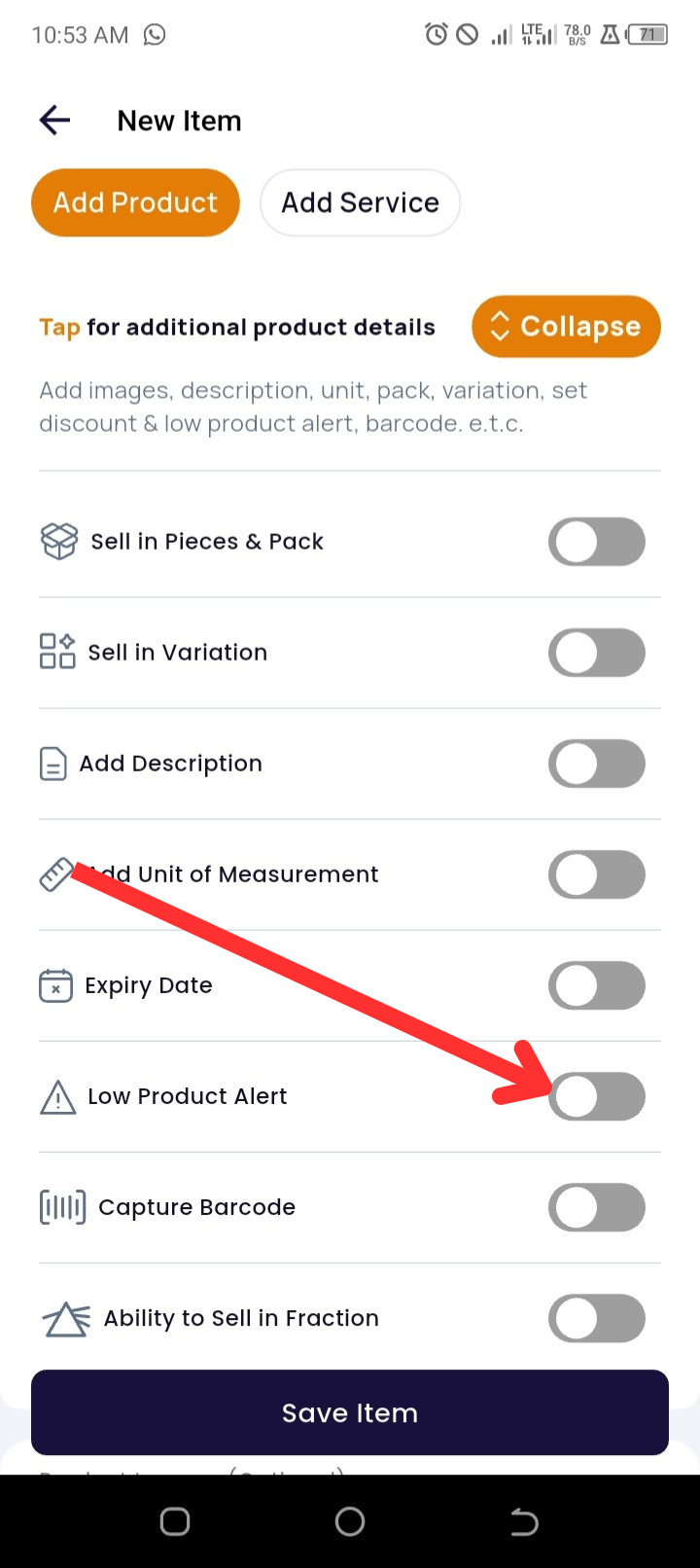
5. Enable Low Product Alert
Tap Expand to access additional product settings
-
Toggle Low Product Alert ON
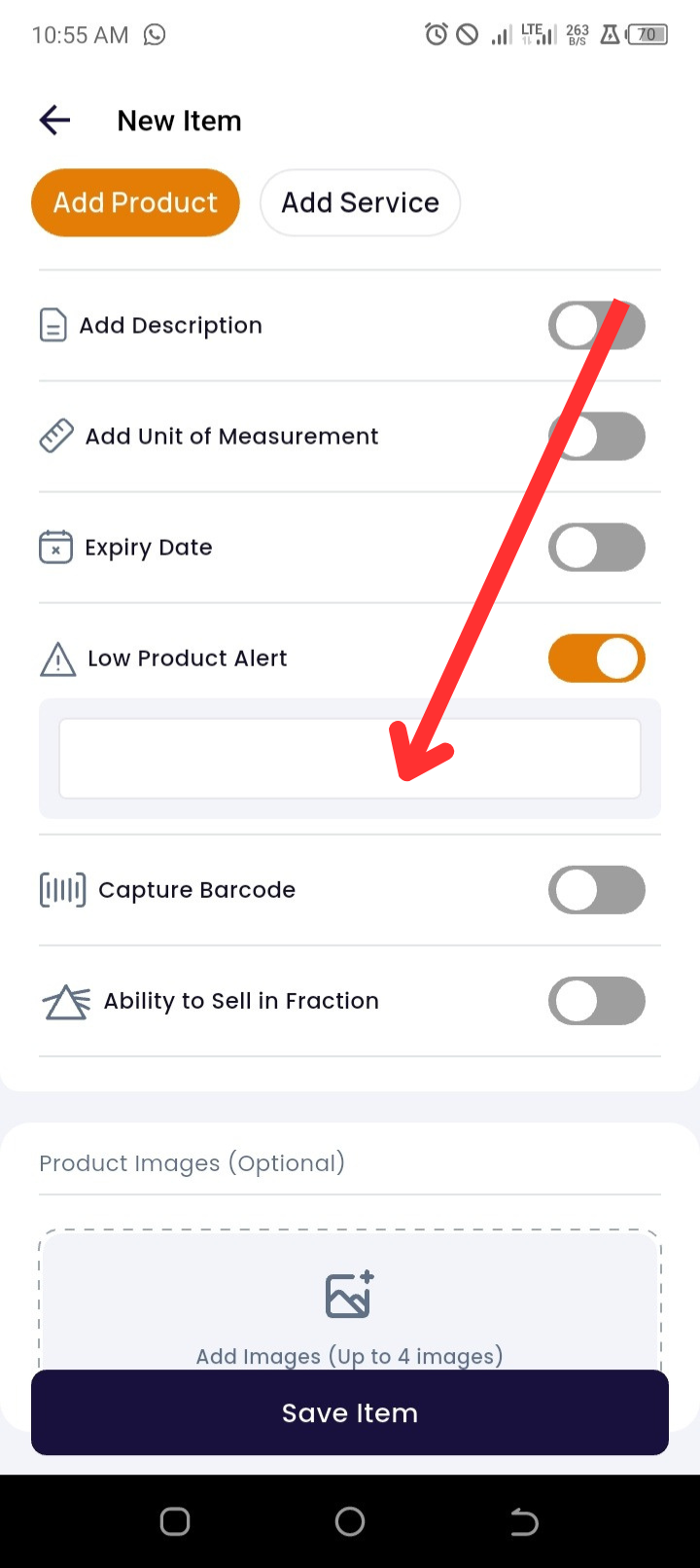
6. Set Alert Threshold
-
Enter the minimum quantity that should trigger a stock alert (e.g., 5 units)
7. Upload Product Images (Optional)
-
Tap Add Images to upload product visuals
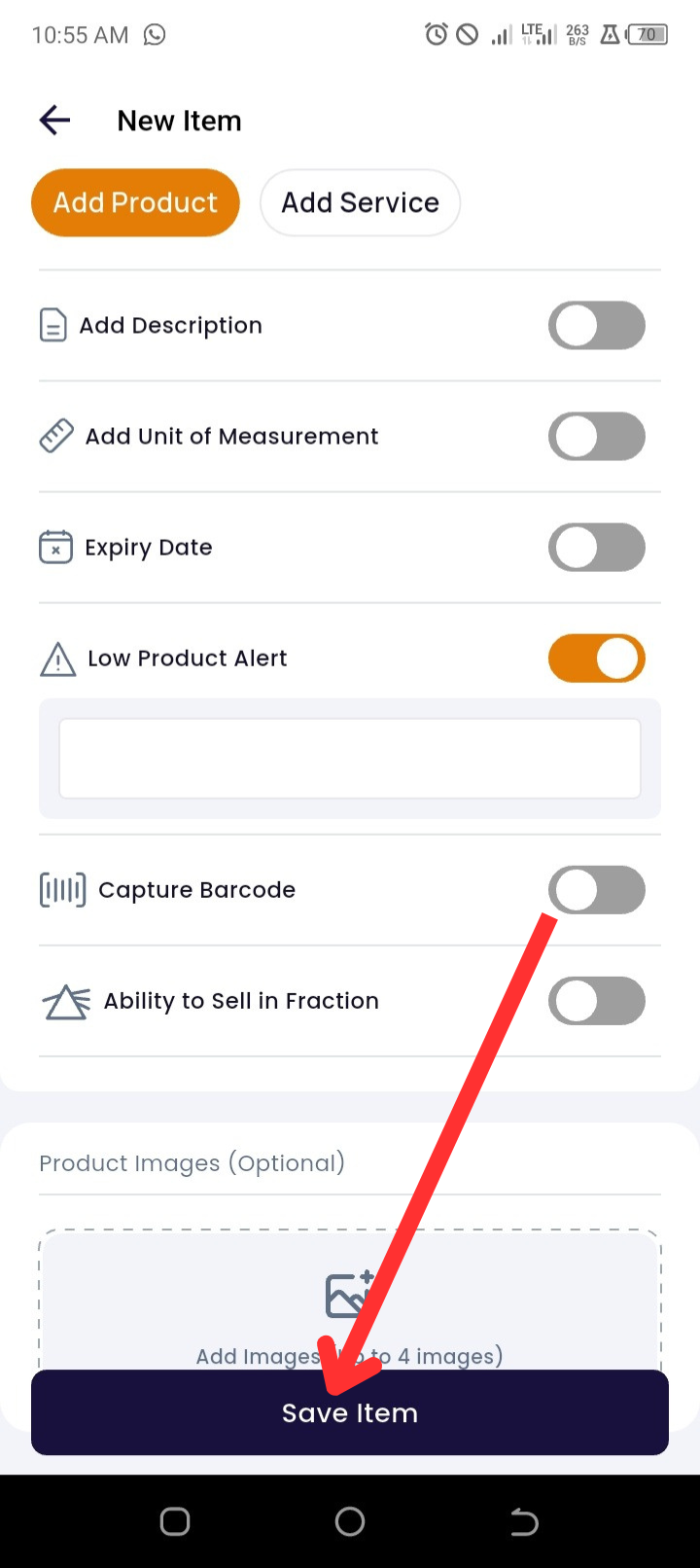
8. Save Your Entry
-
Tap Save Item to complete the setup
Pro Tips
-
Track Profits: Always include the purchase price to unlock full reporting and profit analytics.
-
Organized Reporting: Group products into categories to streamline analysis and reorder tracking.
🛠️ Troubleshooting
|
Issue |
Possible Cause |
Solution |
|
I’m not receiving alerts |
Alert toggle not enabled or threshold not set |
Double-check that Low Product Alert is toggled ON and that you entered a minimum quantity |
|
Can’t find the 'Expand' option |
App version may be outdated |
Update the Timart app to the latest version from the Play Store or App Store |
|
Alert appears too often or too late |
Threshold may be set too high or low |
Adjust the minimum quantity based on product turnover rate |
❓ Frequently Asked Questions (FAQs)
Q1: Can I set low product alerts for existing products?
🟢 Yes! Go to the Products page, tap on the product you want to update, select Edit, and enable Low Product Alert from the Expand section.
Q2: Can I view all low-stock items in one place?
✅ Yes, you can filter products by searching Less than 10 directly on the Products page.
Q3: What’s the ideal quantity to set as a threshold?
🧠 It depends on how fast the product sells. A good rule of thumb is your 2–3 day sales average.
Q4: Can staff users set low product alerts?
👥 Only users with the permission