How to Add a Service (Mobile)
The Service feature in the Timart Business App is designed for businesses that offer services such as repairs, consultations, tailoring, or installation work. It allows you to set pricing, track revenue, and manage service-related inventory if needed.
Here’s how to add a service directly from the mobile app.
📲 Step-by-Step Guide
1. Go to the Homepage
Open the Timart Business App and land on the Dashboard.
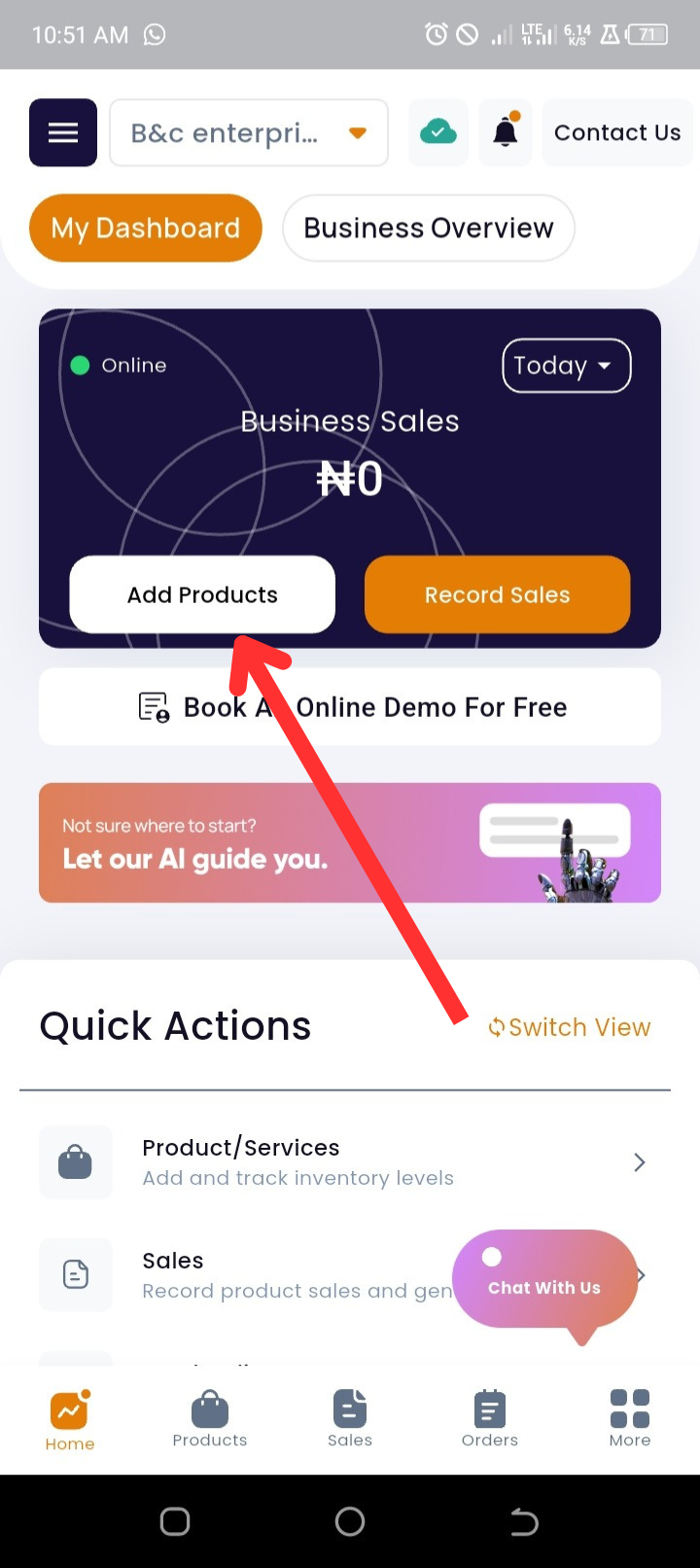
2. Tap “Add Products”
At the top of the Dashboard, tap Add Products.
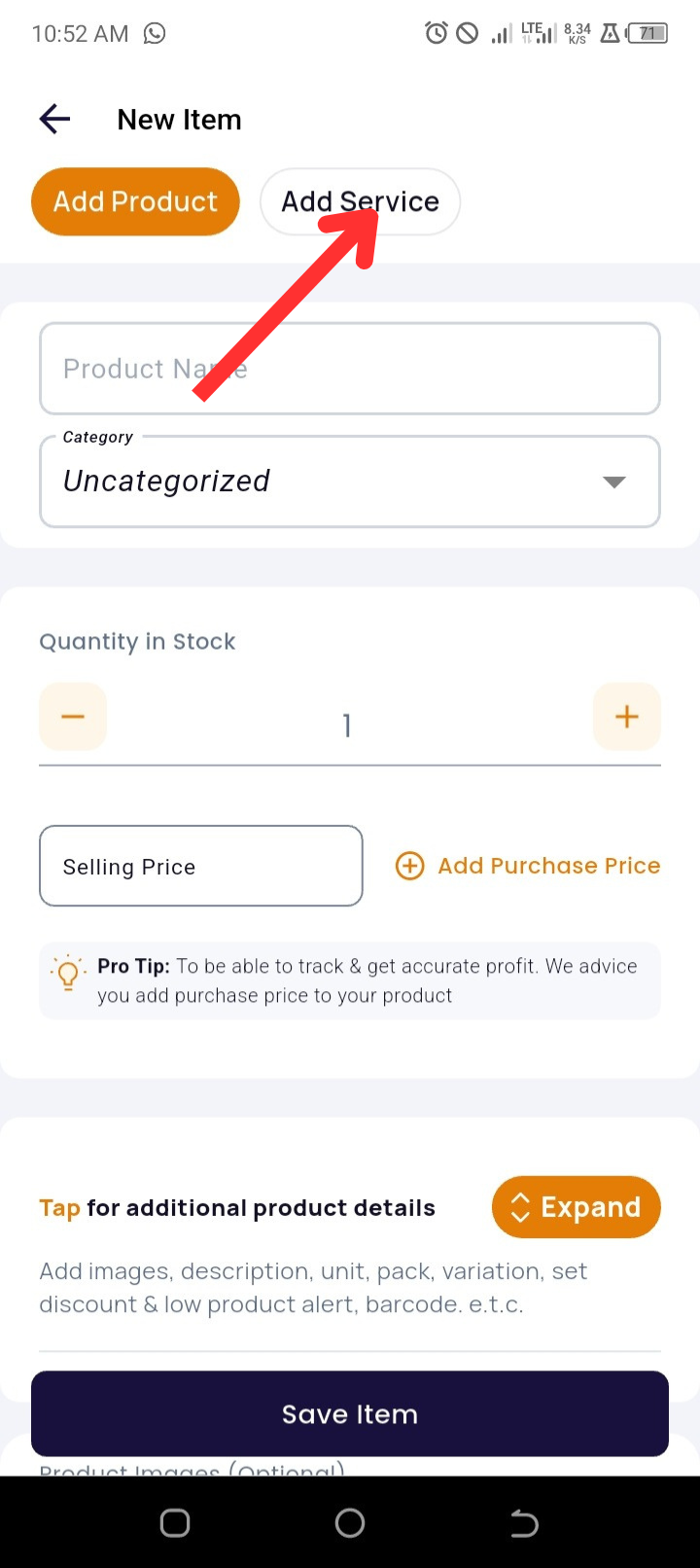
3. Select “Add Service”
Tap Add Service next to the product entry button.
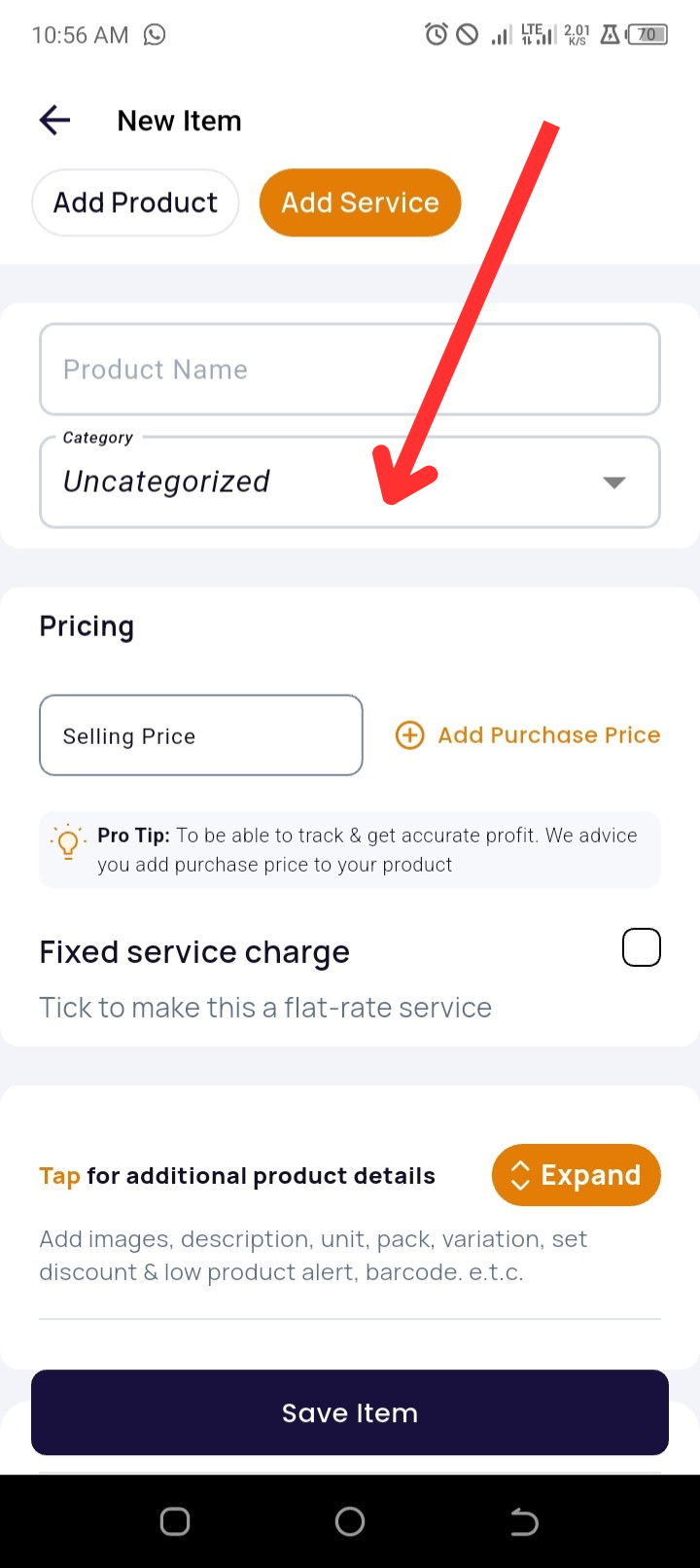
4. Enter Service Details
-
Input the Service Name
-
Optionally choose or create a Category (e.g., Maintenance, Design, Consulting)
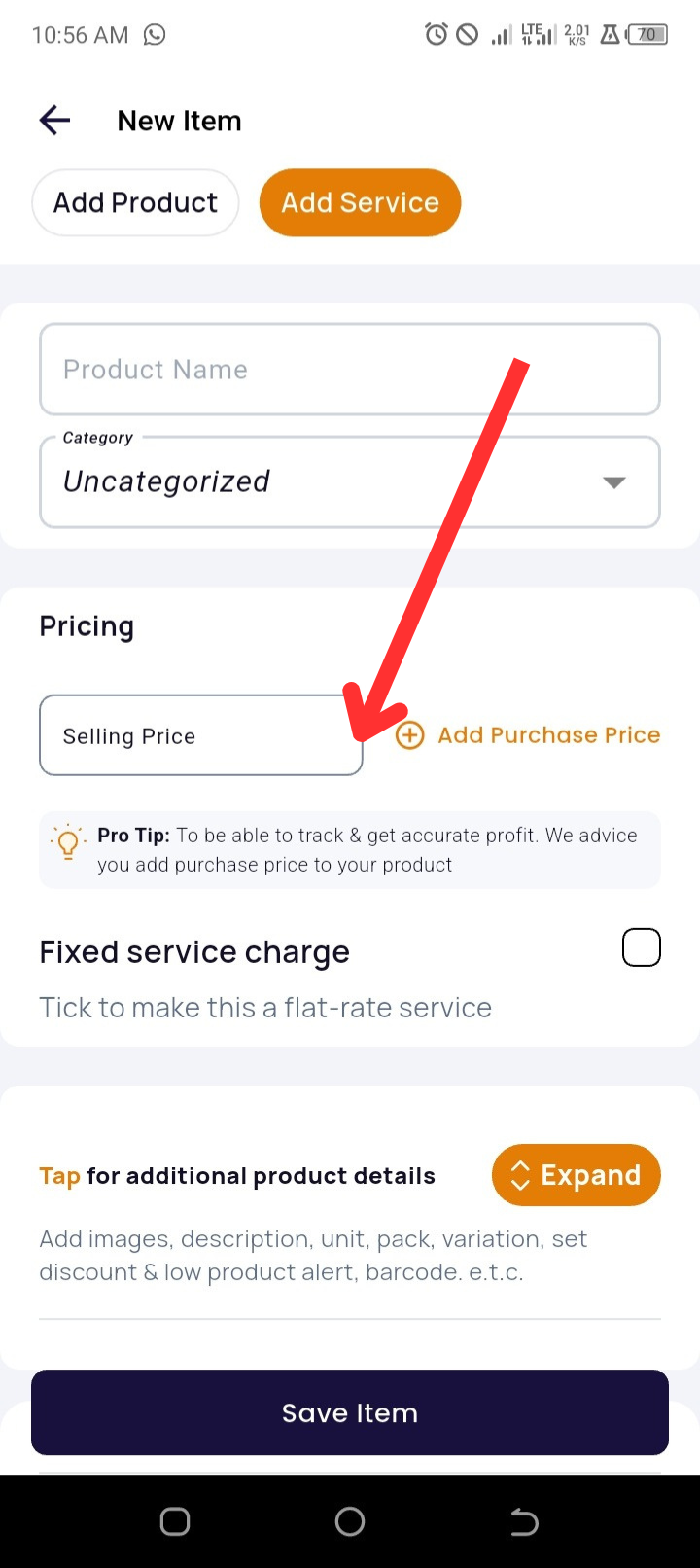
5. Set Pricing
-
Enter the Selling Price (required)
-
Enter the Purchase Price (optional but useful for tracking profit margins)
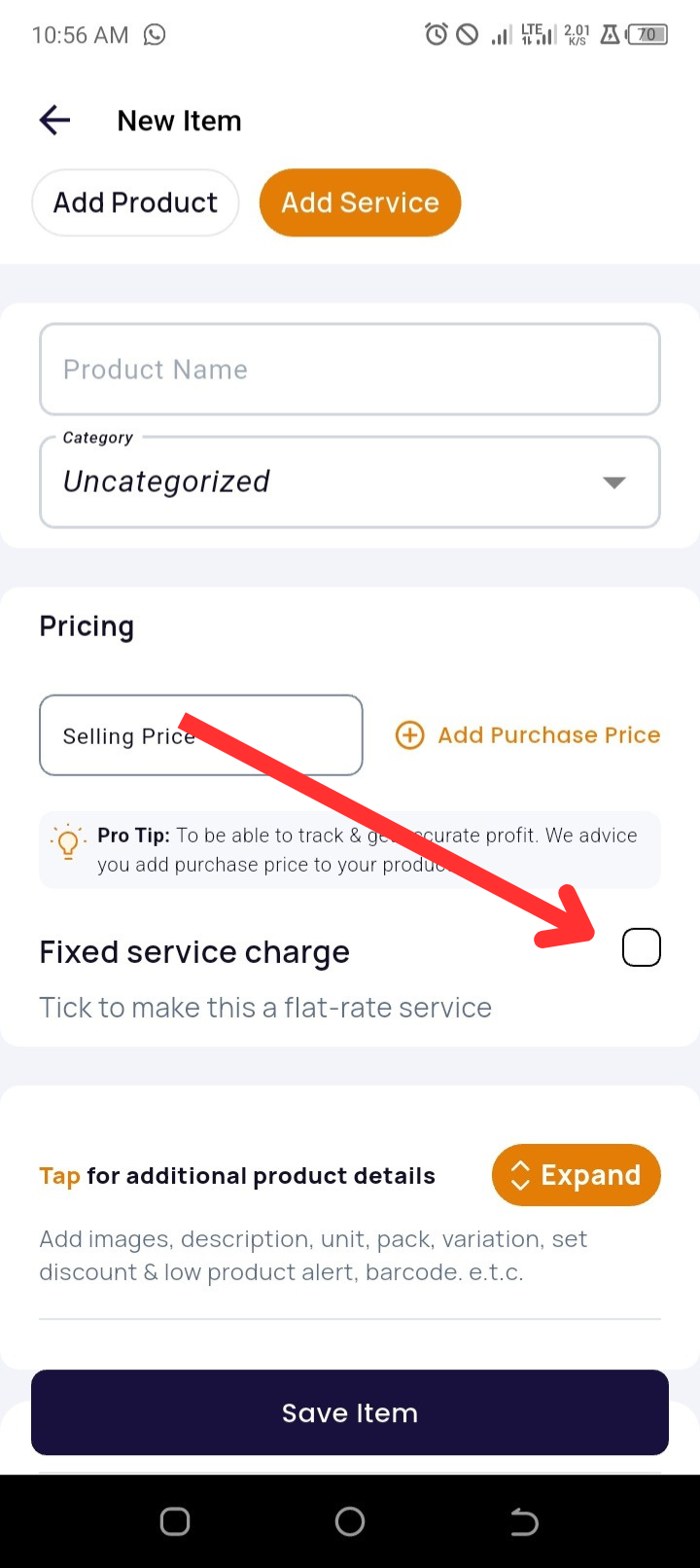
6. Activate Fixed Service Charge (Optional)
-
Tick Fixed Service Charge to apply a flat rate regardless of duration or quantity
7. Expand for Additional Details
Tap Expand to enter:
-
Description
-
Unit of Measurement (e.g., per hour, per session)
-
Expiry Date (if the service has a deadline or use-by date)
-
Barcode
-
Ability to Sell in Fractions (e.g., 0.5 hours, 1.5 sessions)

8. Add Service Images (Optional)
Upload a relevant image to help identify or market the service.
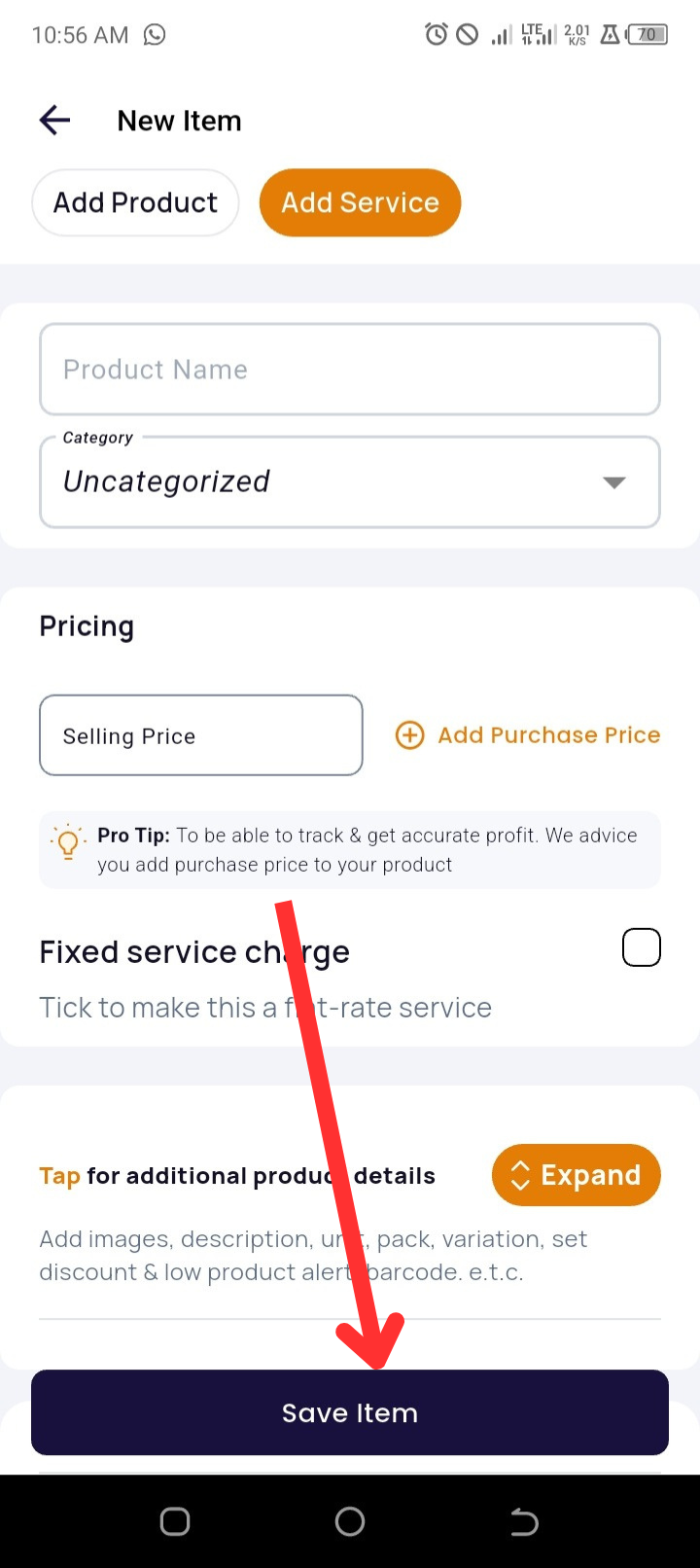
9. Save the Service
Tap Save Item to complete the setup.
✅ Pro Tips
-
Use Descriptive Service Names like “AC Installation (3HP)” or “Website Design (Starter Plan)” for clarity.
-
Use Categories like Technical, Logistics, or Creative Services for organized reporting.
-
Enable Unit of Measurement + Sell in Fractions for time-based services (e.g., per hour or half-day).
🛠️ Troubleshooting
|
Issue |
Possible Cause |
Solution |
|
“Add Service” not visible |
App version outdated |
Update Timart App via Play Store or App Store |
|
Can’t save service |
Missing required fields |
Make sure service name and selling price are entered |
|
Want to add both product and service together |
Not supported in one entry |
Add product and service separately for better tracking |
❓ Frequently Asked Questions (FAQs)
Q1: Is purchase price mandatory for services?
No, but it’s helpful if your service includes costs like subcontractor fees, materials, or transportation.
Q2: Can I apply VAT or service tax?
Yes, you can add Tax from your business settings