How to Activate "Sell in Fraction" When Adding a Product (Mobile)
The "Sell in Fraction" feature in the Timart Business App allows you to sell products in smaller portions which is ideal for items sold by measurement such as fuel, cloth, grains, etc.
📲 Step-by-Step Guide
-
Open the Timart Business App and go to the Dashboard.
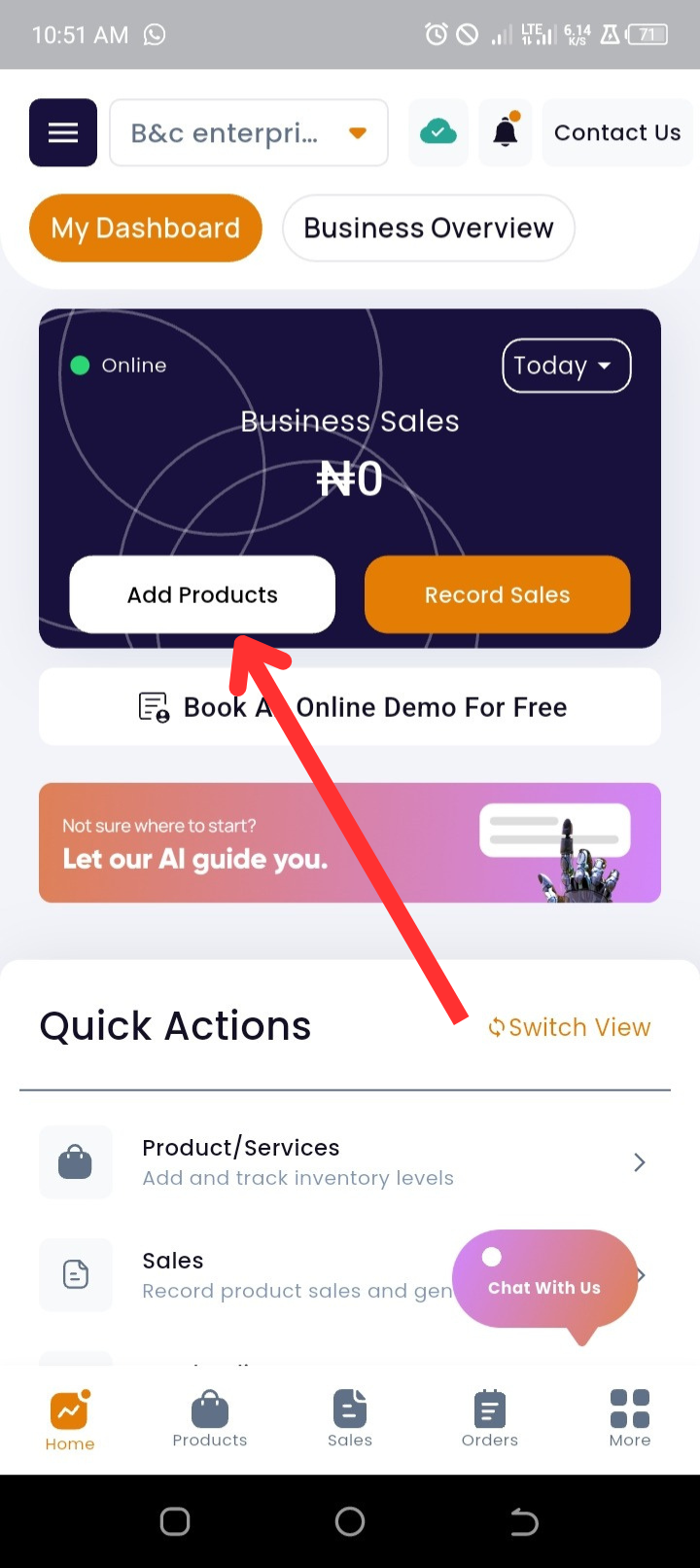
- Tap "Add Products" at the top of the page.
-
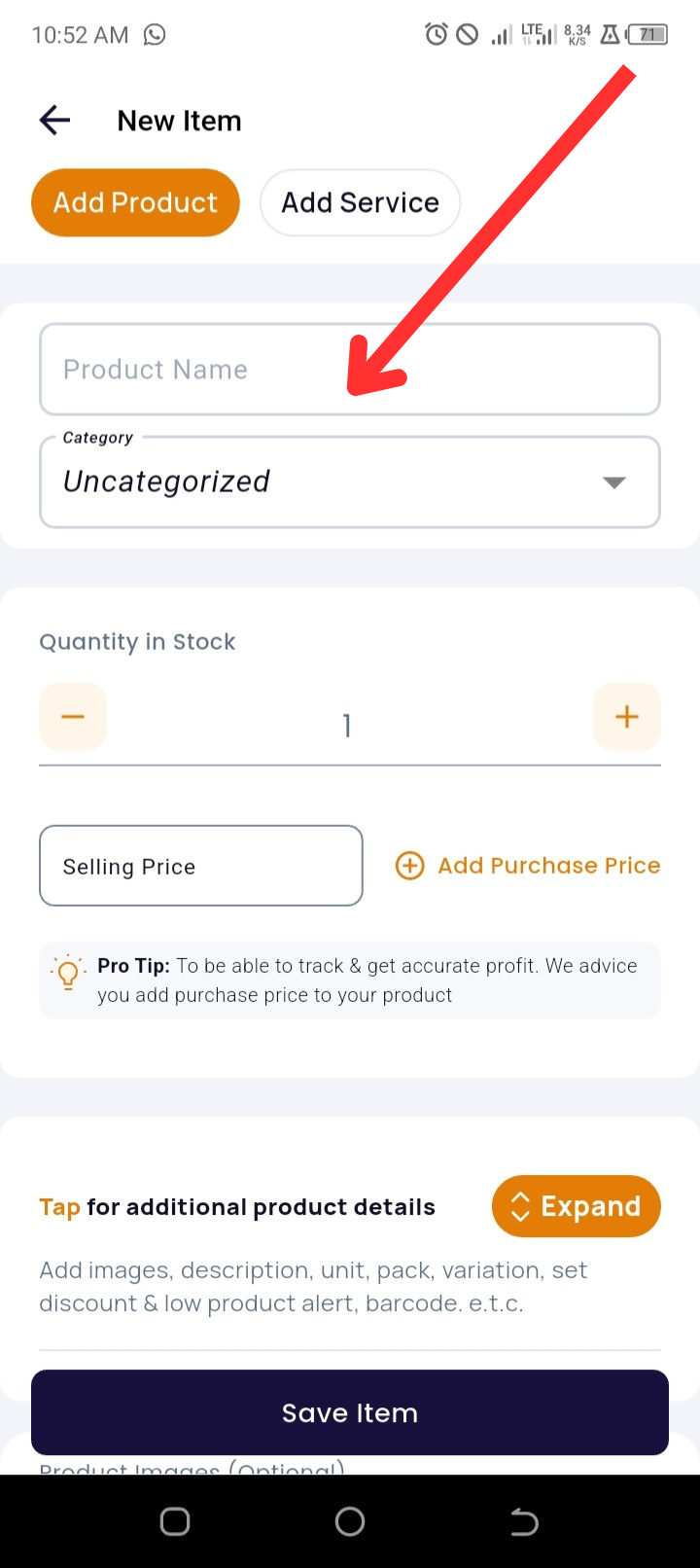
Enter the Product Name.
-
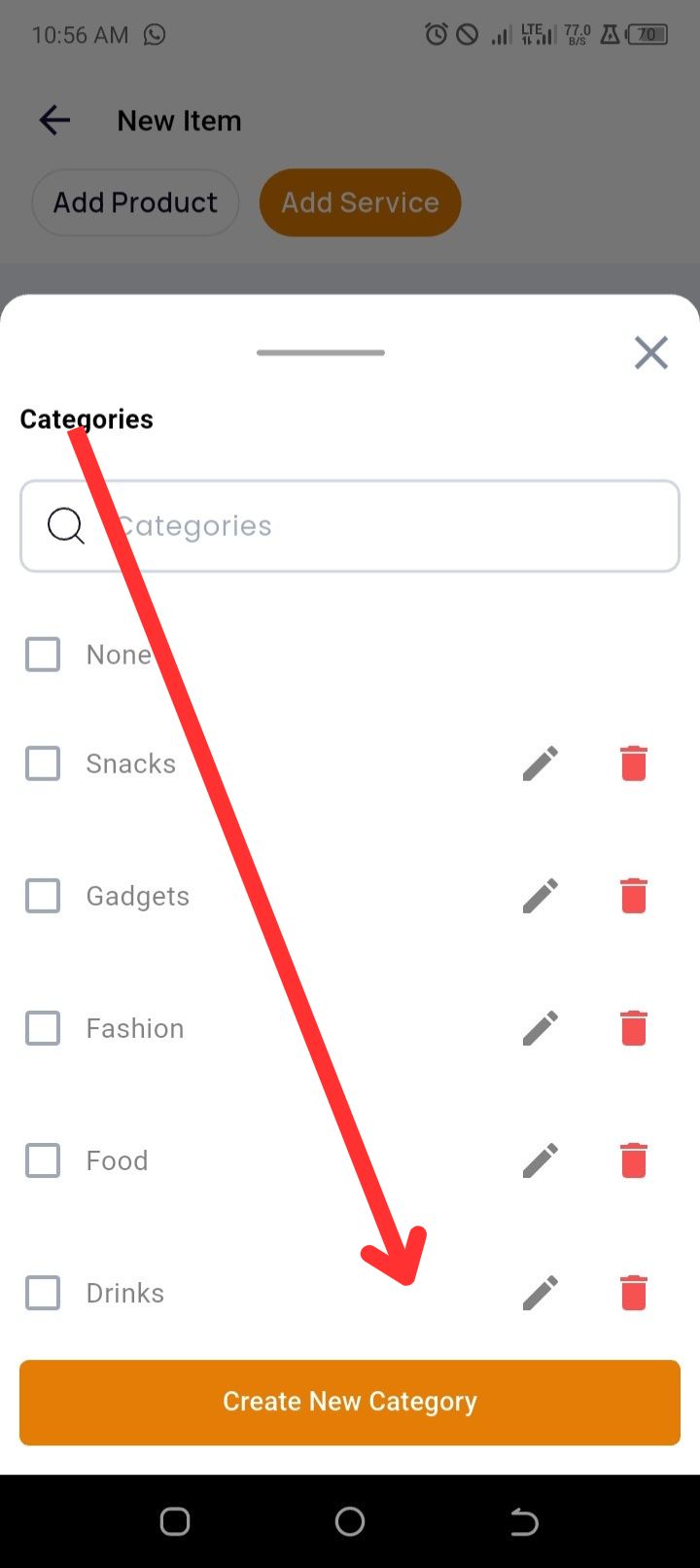
(Optional) Select or create a Category for the product.
-
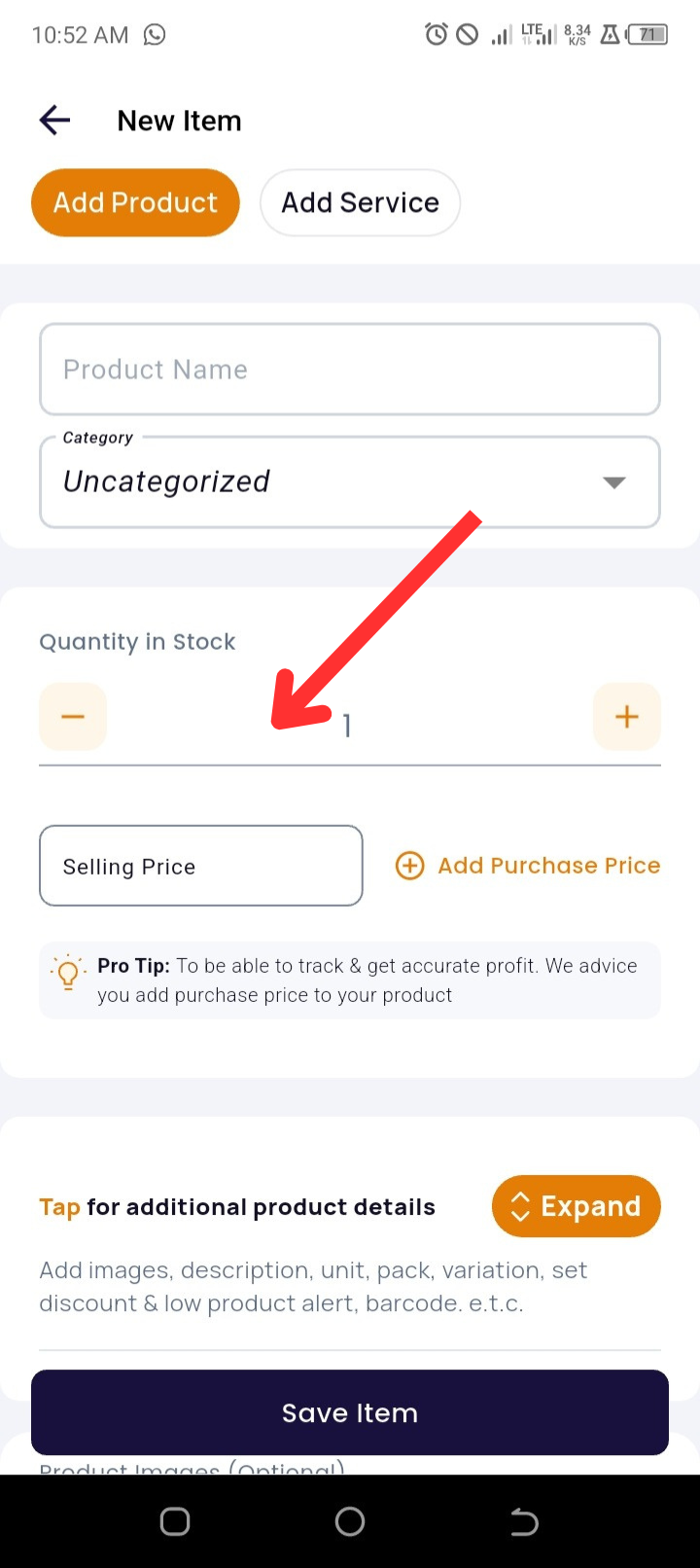
Input:
-
-
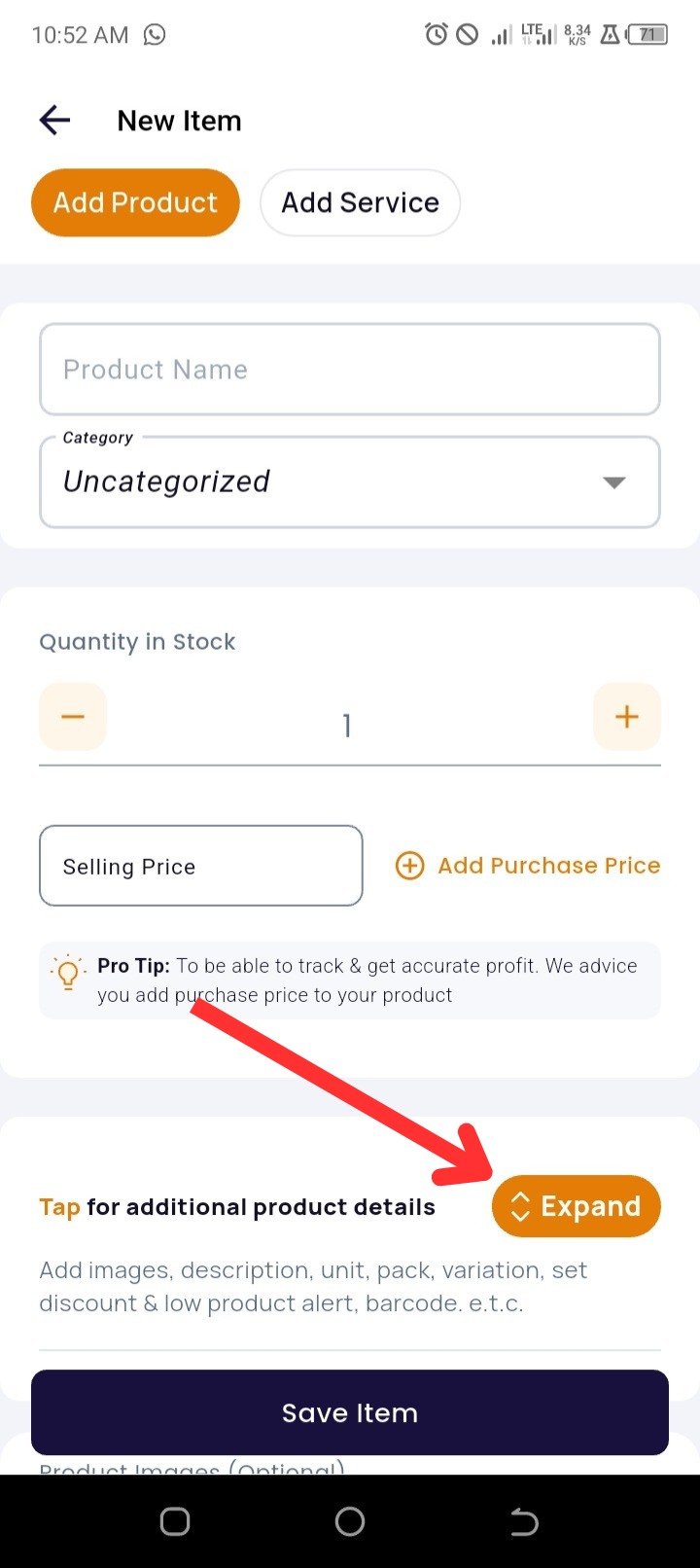
Product Quantity
-
Selling Price (required)
-
Tap “+ Add Purchase Price” to include the Purchase Price (optional, but necessary for accurate profit tracking).
-
-
Tap “Expand” to view more options.
-
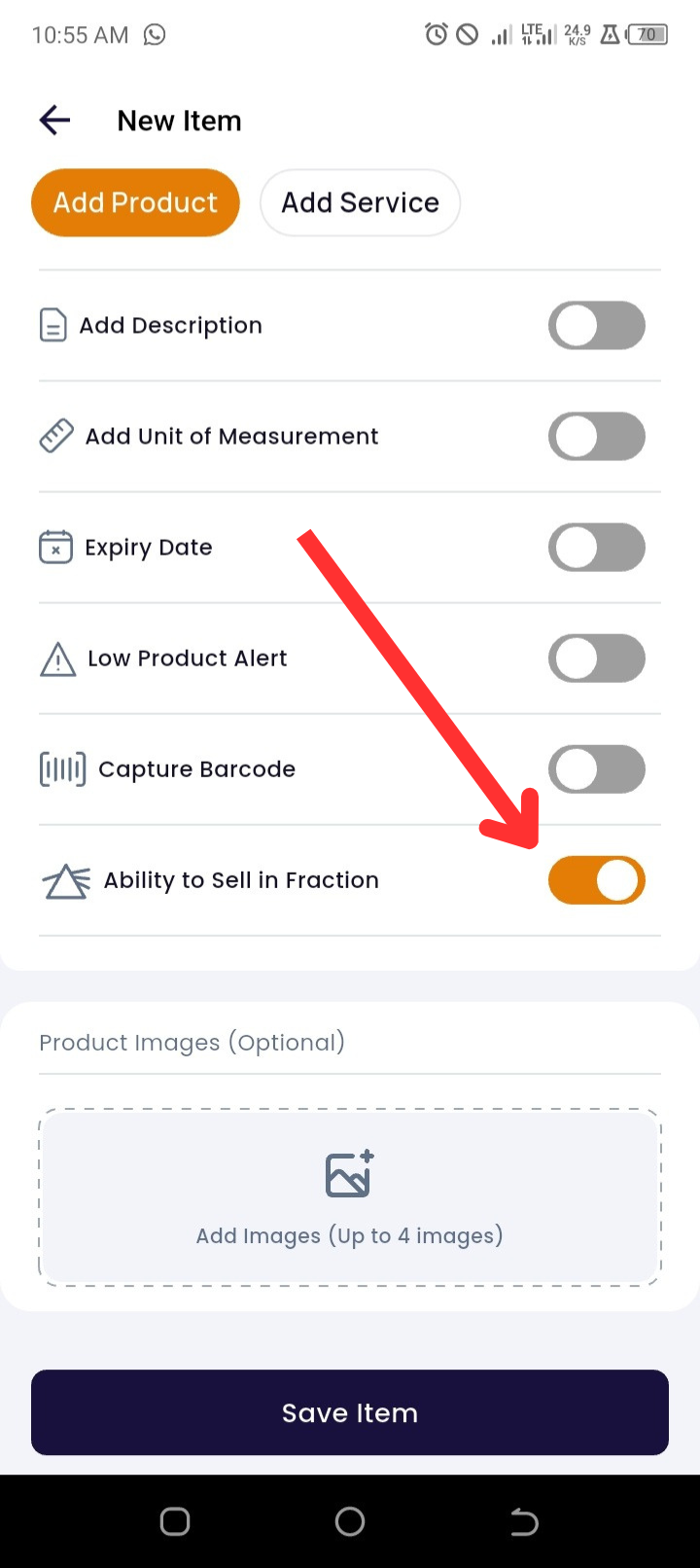
Toggle ON the "Sell in Fraction" switch.
-
(Optional) Tap “Add Images” to upload product images.
-
Tap “Save Item” to finish.
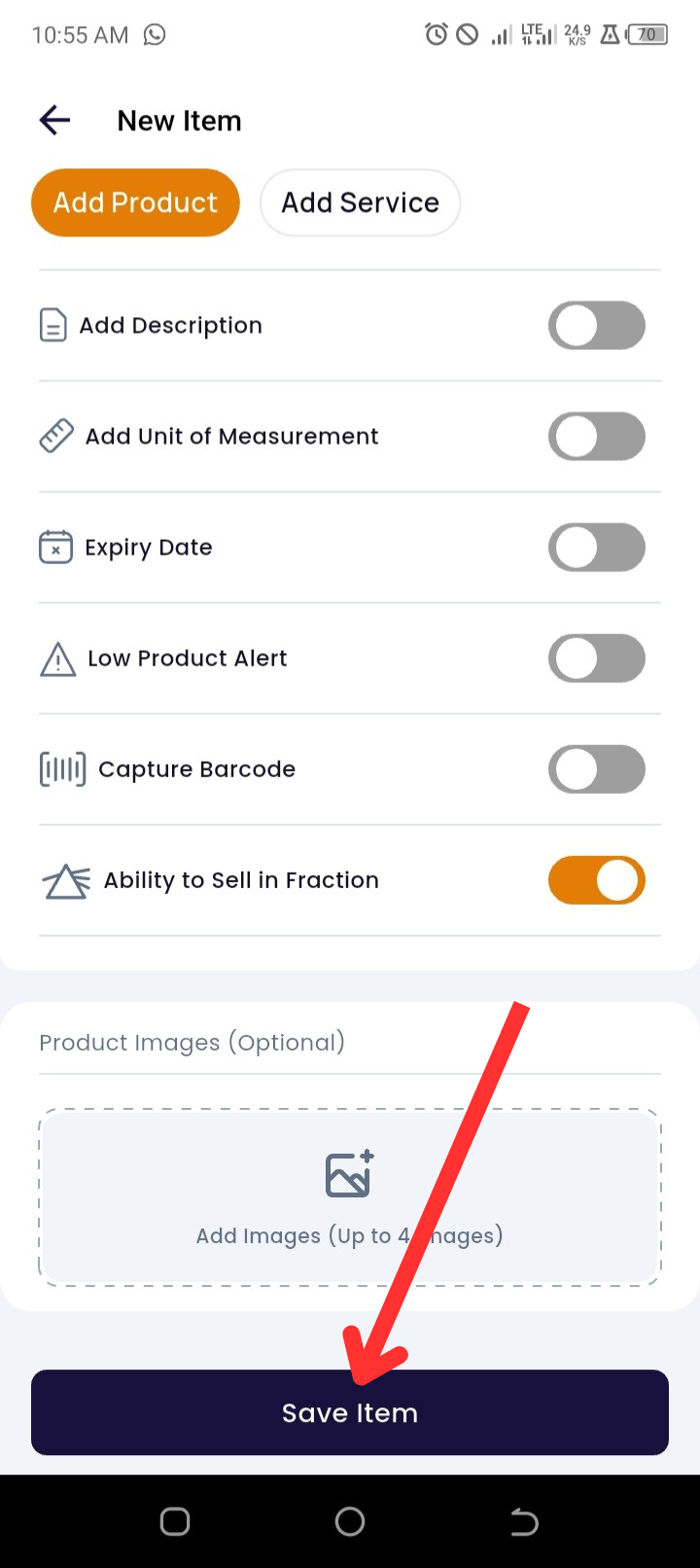
✅ You’ve successfully enabled fractional sales for your product!
🛠 Troubleshooting
|
Issue |
Likely Cause |
How to Fix |
|
“Sell in Fraction” toggle not visible |
You haven’t tapped Expand |
Tap Expand to reveal additional product options |
|
Toggle doesn’t respond |
Temporary glitch or outdated app version |
Close and reopen the app, or update to the latest version |
|
Fractional quantities not reducing inventory |
“Sell in Fraction” not saved correctly |
Recheck the product settings, enable the toggle, and tap Save Item again |
|
Inaccurate profit displayed |
Purchase price was not entered |
Tap + Add Purchase Price and input cost to calculate profit correctly |
❓ Frequently Asked Questions (FAQs)
Q1: What is “Sell in Fraction” used for?
A: It allows you to sell part of a product, like 0.25 kg of beans or 1.5 meters of fabric.
Q2: Is adding a purchase price mandatory?
A: No, but it’s recommended for accurate profit and loss calculations.
Q3: Can I change this setting later?
A: Yes. Go to your product list, tap Edit, and toggle the setting on or off under Expand.
Q4: Will the system track stock properly if I sell in fractions?
A: Yes. Stock will reduce based on the fractional quantity sold.