General
📅Updated July 19, 2025
How to Check Your Profit/Loss Report
How to Check Your Profit/Loss Report on Mobile
Tracking your profit and loss helps you understand your business performance. Follow these steps to check your report:
Step 1: Go to the Homepage – Open the app and start from the main screen.
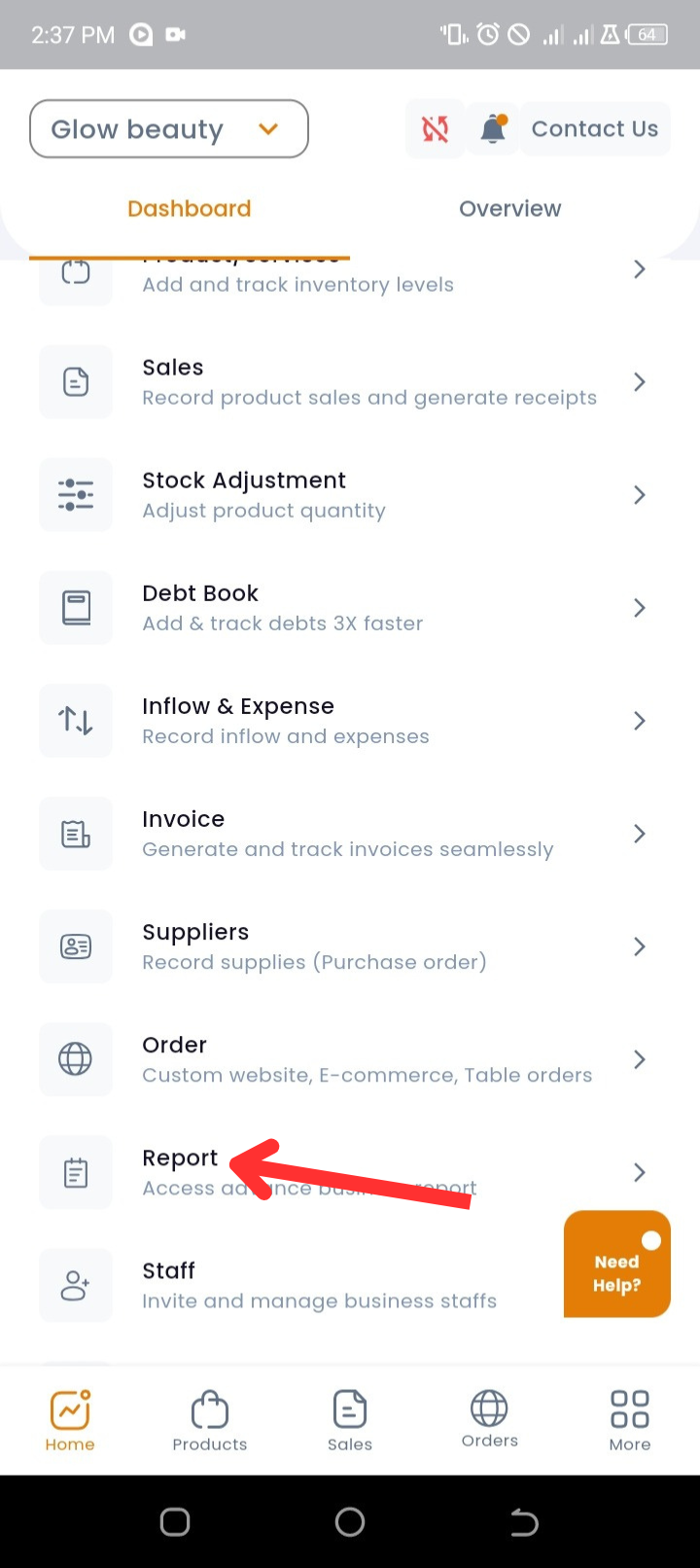
Step 2: Open Reports – Scroll down and tap on Report.
Step 2: Open Reports – Scroll down and tap on Report.
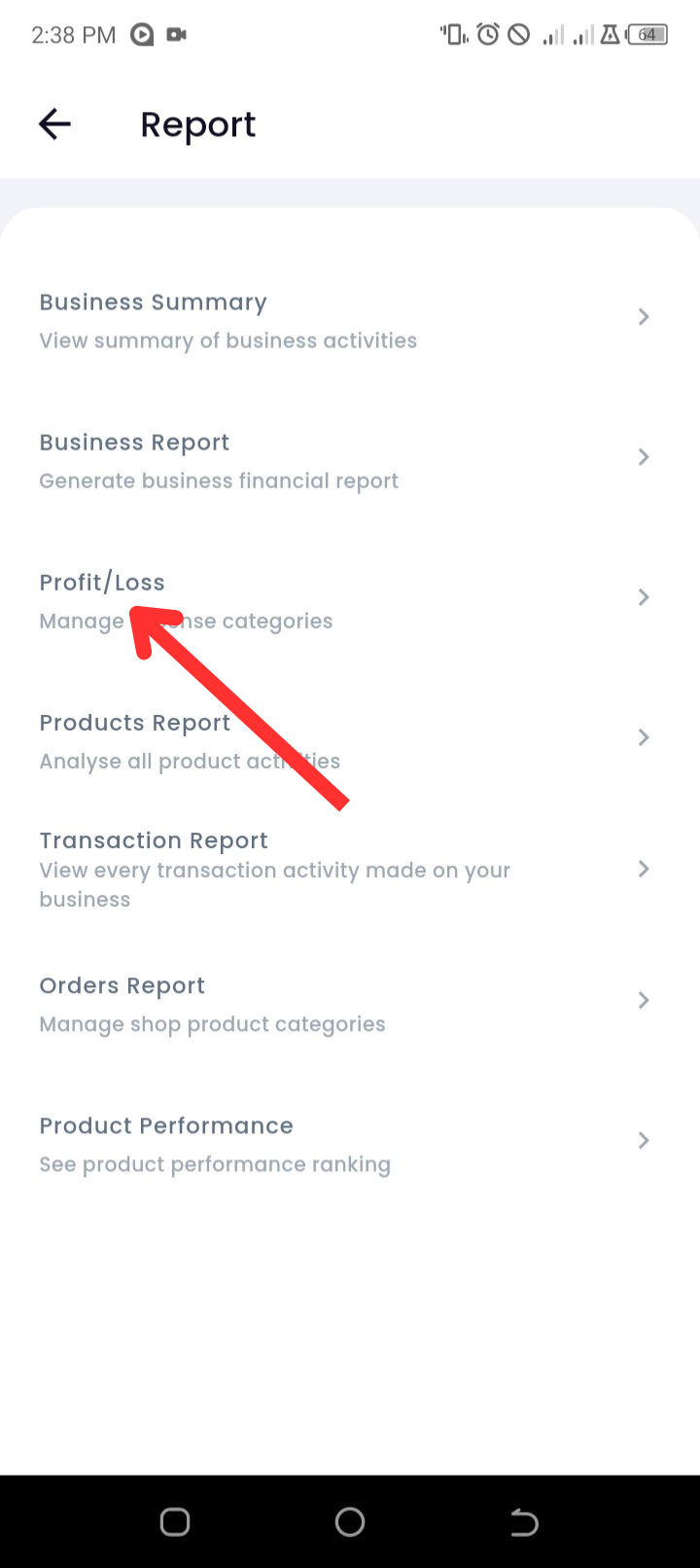
 Step 3: Select Profit/Loss – Choose the Profit/Loss option to view your earnings.
 Step 4: View Your Monthly Profit – By default, the report shows your profit for the current month.
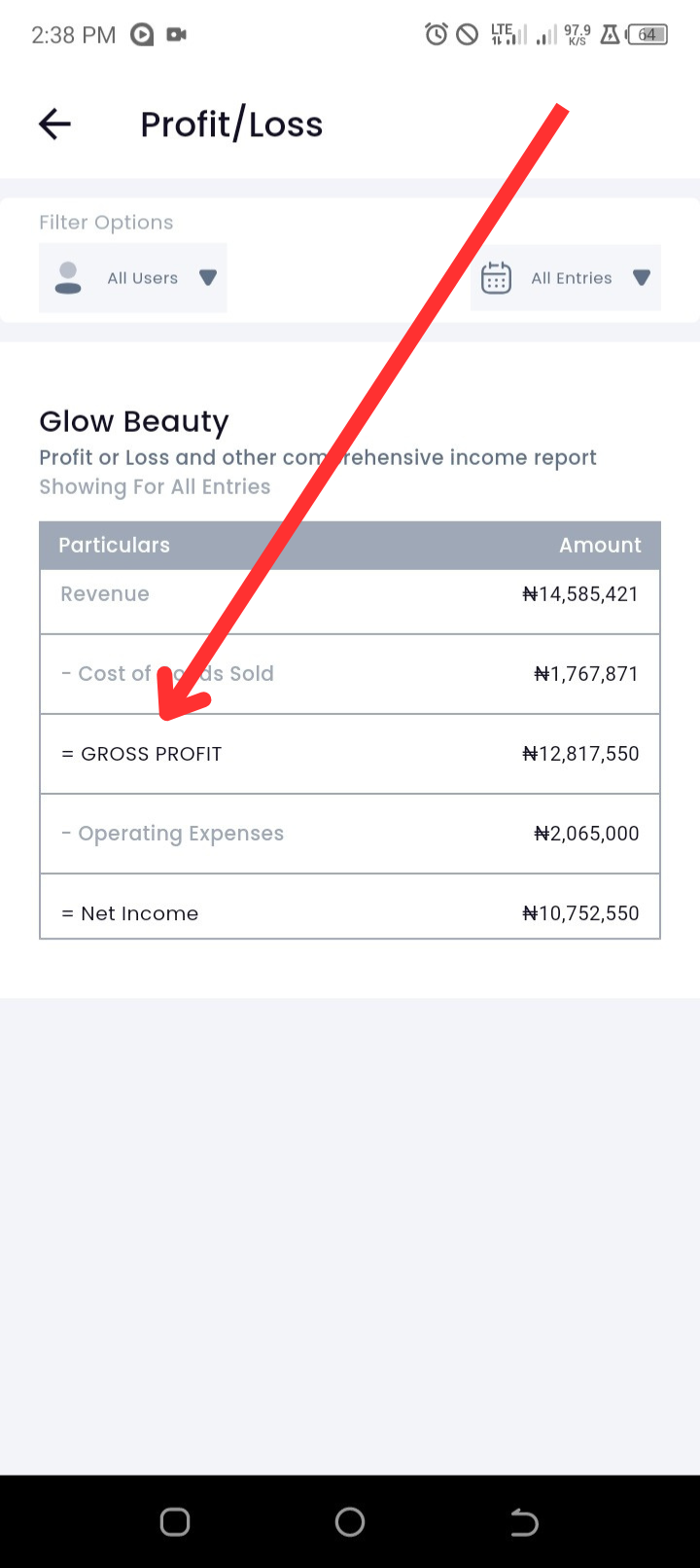
Step 5:Apply Filters for More Details – You can filter results by user or date:
Tap on "All Users" to filter by a specific user.
Tap on "This Month" to change the date range.
Why is this important?
This report helps you track your business growth, manage expenses, and make informed financial decisions.
This report helps you track your business growth, manage expenses, and make informed financial decisions.